
Install the app
How to install the app on iOS
Follow along with the video below to see how to install our site as a web app on your home screen.
Note: This feature may not be available in some browsers.
You are using an out of date browser. It may not display this or other websites correctly.
You should upgrade or use an alternative browser.
You should upgrade or use an alternative browser.
Lion Beta Compatibility
- Thread starter blueicee414
- Start date
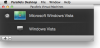
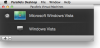
I think I finally got it to boot but I cannot see a full screen. I see the 'Parallels Virtual Machines' and then there is a button and black box called 'Microsoft Windows Vista'. When I push the button I see it boot up and I can see the little Vista login page in the box, but I do not see a full screen anywhere.
Any idea what I am doing wrong???
Any idea what I am doing wrong???
Attachments
Finally
Thanks for the hint DarienJim. I didn't actually have to disable Spaces (or change to 1 space). I had Parallels set to startup in a specific space which seems to be causing problems. I deleted the specific Space entry in settings for Spaces. The virtual was then able to startup and run full screen without any apparent issues.
Thanks for the hint DarienJim. I didn't actually have to disable Spaces (or change to 1 space). I had Parallels set to startup in a specific space which seems to be causing problems. I deleted the specific Space entry in settings for Spaces. The virtual was then able to startup and run full screen without any apparent issues.

Parallels Desktop Launcher
For all those having trouble getting the script to run due to typos or copy/paste issues I put the script in applescript editor and saved it as an application. I have tried it on several fresh Lion installs and never had any issues. Make sure Parallels is closed then run the launcher. It will ask for your password to run the script as sudo, run the scripts, and then launch parallels.
http://www.fileserve.com/file/QS9DD6S/Parallels Desktop Launcher.zip
For all those having trouble getting the script to run due to typos or copy/paste issues I put the script in applescript editor and saved it as an application. I have tried it on several fresh Lion installs and never had any issues. Make sure Parallels is closed then run the launcher. It will ask for your password to run the script as sudo, run the scripts, and then launch parallels.
http://www.fileserve.com/file/QS9DD6S/Parallels Desktop Launcher.zip
Last edited:
87Racer,
Thank you so much for this.
Am I to assume that if Lion is released on Monday
(as it is being rumored) this installer will enable me
to launch Parallels from within it?
I could be wrong but it is more likely that lion will be unveiled and not actually released on monday. However, if it is released and Parallels does not have an update, just running this with parallels not yet open you should have no problems running Parallels. Keep in mind shared networking does not work currently and you must use bridged networking(not sure what the disadvantage if any is to bridged networking). Also this is not really an installer, it just runs the script that parallels originally posted as the fix for running on lion and then opens the app. Let me know if you have any other questions.
