
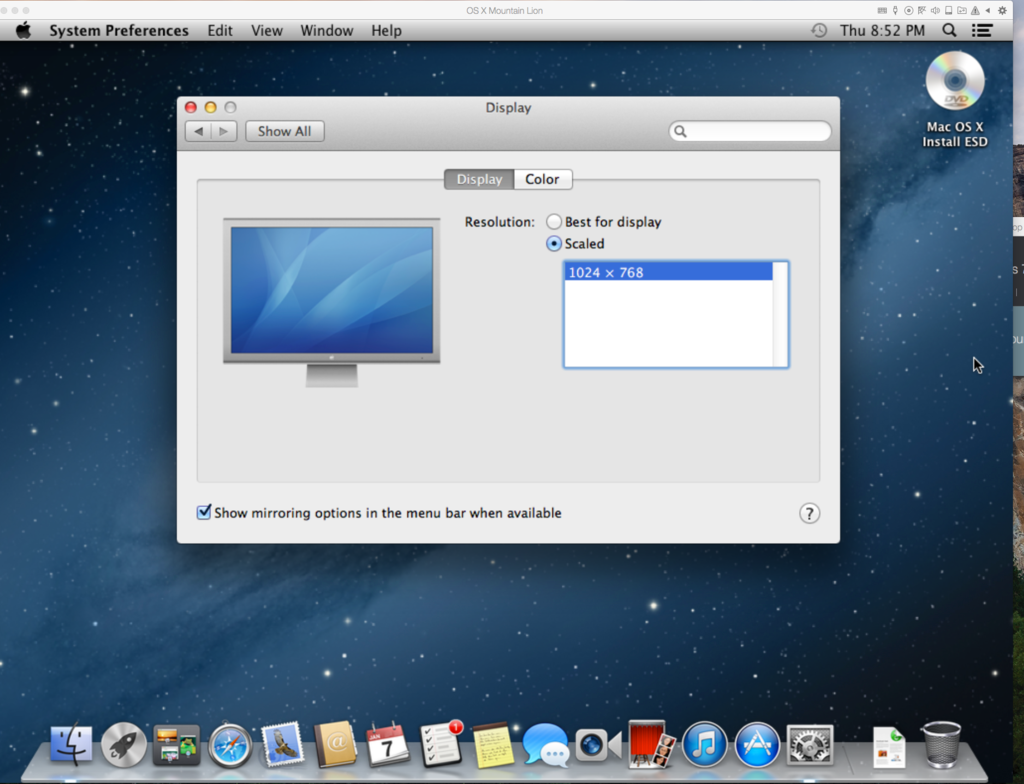
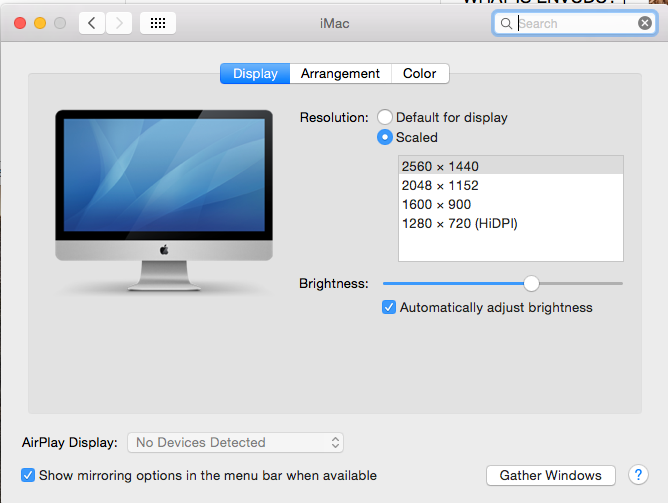
I've installed OS X Mountain Lion as a virtual machine. Everything seemed fine with the install and settings. Problem is the resolution is SUPER low and is not giving me the option for higher resolution. The only option I have is 1024x768. My screen resolution is 2560 x 1440. How do I get it to access the standard set of resolutions?
This is what I'm getting in the Mountain Lion virtual machine:
This is what I see in the normal OS X Yosemite:
I absolutely need access to the full resolution of the screen for my work. I looked at this thread but it was not helpful: http://kb.parallels.com/en/120876 The folder directory it pointed me to did not exist in the. Thoughts?
This is what I'm getting in the Mountain Lion virtual machine:
This is what I see in the normal OS X Yosemite:
I absolutely need access to the full resolution of the screen for my work. I looked at this thread but it was not helpful: http://kb.parallels.com/en/120876 The folder directory it pointed me to did not exist in the. Thoughts?
