Hello,
I use Parallels Client for Mac for standard RDP connections to Windows servers. It works almost perfectly but I have some issues with my french azerty macbook keyboard.
I can't do curly braces, brackets, pipes, ... These characters are inputed with a key combination which include Option (Alt).
For example, curly braces "{}" are typed with Alt+5 and Alt+) on a French azerty macbook.
For brackets "[]", it's Alt+Shift+5 and Alt+Shift+).
For pipe "|", it's Alt+Shift+L.
For anti slash "\", it's Alt+Shift+/.
All theses combinations don't work on Windows with Parallels Client.
Can you tell me if it's a bug or if there is a workaround ?
Thanks in advance for your time.
Regards,
Renaud Thoraval
Parallels Client for Mac 16.2.3
MacOS High Sierra 10.13.5
Remote connections on Windows Server 2016 and 2012
I use Parallels Client for Mac for standard RDP connections to Windows servers. It works almost perfectly but I have some issues with my french azerty macbook keyboard.
I can't do curly braces, brackets, pipes, ... These characters are inputed with a key combination which include Option (Alt).
For example, curly braces "{}" are typed with Alt+5 and Alt+) on a French azerty macbook.
For brackets "[]", it's Alt+Shift+5 and Alt+Shift+).
For pipe "|", it's Alt+Shift+L.
For anti slash "\", it's Alt+Shift+/.
All theses combinations don't work on Windows with Parallels Client.
Can you tell me if it's a bug or if there is a workaround ?
Thanks in advance for your time.
Regards,
Renaud Thoraval
Parallels Client for Mac 16.2.3
MacOS High Sierra 10.13.5
Remote connections on Windows Server 2016 and 2012
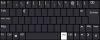
 It's not as convenient as having exactly the same keyboard layout everywhere...
 (Unfortunately, I think I will never see it
  )
)