Hey Parallels Desktop community,
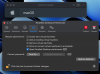
I could use some guidance here. I've recently installed the trial version of Parallels Desktop 19 on my M2 Mac and have successfully set up a virtual machine running macOS. However, I'm struggling to find the option to isolate the virtual machine from the host system in Parallels Desktop Preferences. It seems like it's missing.
If anyone has insights or recommendations on how to achieve this isolation, please share them with me. I'd greatly appreciate your help.
Cheers,
Alex
I could use some guidance here. I've recently installed the trial version of Parallels Desktop 19 on my M2 Mac and have successfully set up a virtual machine running macOS. However, I'm struggling to find the option to isolate the virtual machine from the host system in Parallels Desktop Preferences. It seems like it's missing.
If anyone has insights or recommendations on how to achieve this isolation, please share them with me. I'd greatly appreciate your help.
Cheers,
Alex
Attachments
-
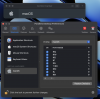 Screenshot 2023-09-07 at 9.57.45 AM.png701.5 KB · Views: 16
 -
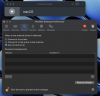 Screenshot 2023-09-07 at 9.57.50 AM.png598.5 KB · Views: 14
 -
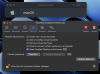 Screenshot 2023-09-07 at 9.58.10 AM.png583.7 KB · Views: 13
 -
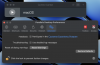 Screenshot 2023-09-07 at 9.58.25 AM.png529 KB · Views: 13
 -
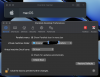 Screenshot 2023-09-07 at 10.04.17 AM.png539.1 KB · Views: 12
 -
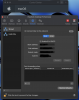 Screenshot 2023-09-07 at 10.04.27 AM.png567.6 KB · Views: 12