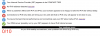
It fails - test site test-ipv6.com (and others) no IPv6 address (see image). Win 11 network set up as default. Parallels is using Shared Network. I have tested Bridged Network/default adapter, same issue. Please fix this.
It's been almost 2 weeks, is there any answer to this Parallels? I have found it does work in Bridged Network, but not in Shared Network. How about some help on this for a loyal subscriber?
It's been almost 2 weeks, is there any answer to this Parallels? I have found it does work in Bridged Network, but not in Shared Network. How about some help on this for a loyal subscriber?
Hello @Don Awalt
Thank you for your feedback.
To let us better understand the situation, please perform the following steps:
0. Download and install the latest version of Parallels Desktop 20.2.0 from the link below: https://download.parallels.com/desktop/v20/20.2.0-55872/ParallelsDesktop-20.2.0-55872.dmg
1. Reproduce the issue
2. Collect a technical report (Right-click on the Parallels icon in the Dock > Help > Send technical data > check "Attach screenshots..." > press Send Report) and send the report's 9-digit ID in a reply to this post.
3. Step-by-step reproduction of the issue.
Thanks!