
Install the app
How to install the app on iOS
Follow along with the video below to see how to install our site as a web app on your home screen.
Note: This feature may not be available in some browsers.
You are using an out of date browser. It may not display this or other websites correctly.
You should upgrade or use an alternative browser.
You should upgrade or use an alternative browser.
internet speed so much faster on MAC OS... so slow using parallels
- Thread starter CHADK3
- Start date
-
- Tags
- internet speed
Hello CHADK3, Let us ensure that Parallels Tools are properly installed. Please follow this link to install Parallels Tools. If you see reinstall or update Parallels Tools then kindly reinstall it.i just ran an intenet speedtest on my mac os and it is 177.5 MBPS on the parallels side the speed test came back at 44 MBPS. it seems to be slowly getting slower. Any suggestions?

Hemnath@Parallels
Parallels Support
Please shut Windows down, open the virtual machine configuration window, navigate to Hardware -> Network 1, select 'Default Adapter' (under 'Bridged Network:') for 'Source', enable 'Network Conditioner', select 'Custom' for 'Profile' and set 'Bandwidth' to 'Unlimited' for both 'Inbound' and 'Outbound'. Close the window now and check for the issue again.reinstalled parallels tools. no change in internet speed
I had the same problem as OP, tried everything else (shared vs bridged, reinstall tools etc) and this was the only thing to fix it.Please shut Windows down, open the virtual machine configuration window, navigate to Hardware -> Network 1, select 'Default Adapter' (under 'Bridged Network:') for 'Source', enable 'Network Conditioner', select 'Custom' for 'Profile' and set 'Bandwidth' to 'Unlimited' for both 'Inbound' and 'Outbound'. Close the window now and check for the issue again.
Yes, by default VM's network bandwidth is limited. We can change by turning ON the Network Conditioner and setting Bandwidth as Unlimited.I had the same problem as OP, tried everything else (shared vs bridged, reinstall tools etc) and this was the only thing to fix it.

Elric
Parallels Team
Hi,
The behaviour is described in https://kb.parallels.com/en/124514
When Resource Quota is limited in VM setting, it also limits speed of networking
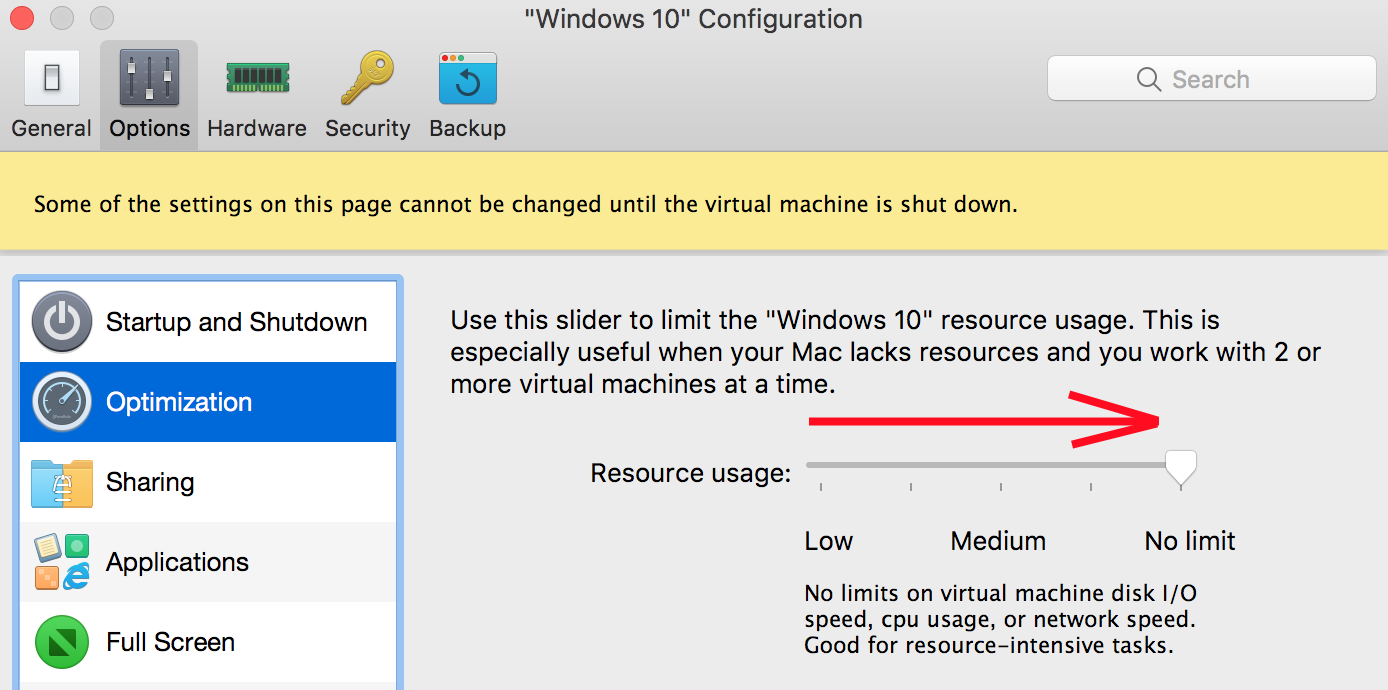
The behaviour is described in https://kb.parallels.com/en/124514
When Resource Quota is limited in VM setting, it also limits speed of networking
Confirming that this is the problem and is a Parallels reproducible bug. It is insidious in the latest version of Parallels 20.2.0, build 55872, in that Resource usage changes after windows ot the mac goes to sleep, even if configure is locked! Sequoia 15.2 (24C101), Macbook Pro M3, Windows 11 ARM, all fully updated.
Workaround 1. Always shutdown Windows before letting mac go to sleep. Workaround 2. Run MS Edge at VM boot, the ookla. If slow, open configure, then set Optimization to No limit and reboot. So far, the two workarounds 1 and/or 2 have worked most if not all of the time, although I have rebooted the Mac and VM so much just to be able to work, I can't vouch that this works with it works in all situations. It has helped to always perform Workaound 2 before doing any work.
Workaround 1. Always shutdown Windows before letting mac go to sleep. Workaround 2. Run MS Edge at VM boot, the ookla. If slow, open configure, then set Optimization to No limit and reboot. So far, the two workarounds 1 and/or 2 have worked most if not all of the time, although I have rebooted the Mac and VM so much just to be able to work, I can't vouch that this works with it works in all situations. It has helped to always perform Workaound 2 before doing any work.