Installing yosemite into a vm fails

For those of you with this issue who have not submitted a ticket to Parallels, please do so. In the ticket I submitted over the weekend Parallels support has asked to set up a remote session with me to diagnose this issue. However, due to my schedule, I might not be able to do this for a few days, in order to try and get a solution more quickly if someone is able to set up a session with Parallels support sooner, that would be helpful to all of us.

Indeed. And another item we can contribute is to use the Parallels 'report a problem' option in Help menu of Parallels while the dead VM is running.
 
FWIW, I too am having the same problem. However, I am using a brand new 15" MacBook Pro that I purchased in August. So the problem does not appear to be related to "older" hardware.

Ray
 
Don't know if this will help anyone (including Parallels) or not, but I have found that as long as I keep the install media mounted in the VM, Yosemite will start up. If I unmount the .dmg that I installed Yosemite from, the Yosemite VM will only boot the recovery partition. If the install media is mounted, the main Yosemite partition will boot.
 
I was curious if that would work for others, Ray. No idea why it works for me. Very strange.

Thommy, I had downloaded the Yosemite installer application to my hard drive from the App Store. When I went to set up the Yosemite VM, Parallels extracted the .dmg from the installer and saved it in the folder with my VM. I actually want to delete it because it's so big, but I apparently have to keep it until this problem is resolved.
 
Thank you Tom! So this seems to be the case with a new installation only and not if one upgrades from 10.9. as I am trying to. Can you confirm this?
 
Parallels Desktop 10 for Mac build 10.1.1 (28614) fixed the boot in recovery problem for me. Yosemite VM is working on my Mac now.
Hi Henrik,
Glad to hear that installing the latest build helped you in resolving the issue.
Feel free to reach us any time, we will be happy to help you.
 
The update appears to have corrected the problem for me as well. I still have a bit more testing to do to make sure the issue is fully resolved, but so far it looks very promising. Thanks to the Parallels team for getting this update out so quickly.
 
Hi Benjamin,
Thanks for taking your time to share your results.
Feel free to reach us if you face any issues, we will be here to help you.
 
Hi Benjamin,
Thanks for taking your time to share your results.
Feel free to reach us if you face any issues, we will be here to help you.
Hi Maheesh
I was having the same problem as everyone else and the update enabled me to install a virgin OS 10.10.
However, after installing the system and parallels tools and rebooting seems fine until closing Parallel Desktop and restarting and opening the image with a brand new Mac OS 10.10 the partition starts up and get about half way and then I get a circle with a diagonal line through it instead of the Apple logo and everything stalls.
I have tried twice installing Mac OS 10.10 twice from the downloaded disc image with the same results.
Can you help, thanks.
Tim

Since I posted this I had a bit of time and so experimented with building Yosemite Partition and the problem seems to be that when choosing hard disk option in the prefs' and then choose to compress the partition that afterwards the partition will not start up and exhibits the symptoms above. Without choosing compression everything seems OK.
So I hope someone is there and perhaps can give some guidance to this odd problem.
Tim (again)
 
Last edited:
I have an issue I'll post here in case others are searching for it. Just updated to the latest release. Attempted to launch a VM of Yosemite I created and started the install on (prior to the Parallels 10 release) from a Mavericks VM. I get a lot further along with the install, all the way to selecting the target disk (Macintosh HD). Then the installer reports: 'OS X could not be installed on your computer. Storage system verify or repair failed. Quit the installer to restart your computer and try again.' It is an infinite loop at this point. I'll try recloning the 10.9 VM with the 10.10 installer and trying again.
 
Ah -- cloned a fully working Mavericks, downloaded the Yosemite installer fresh, and installed. No issues noted as of yet. It all seems to work.
 
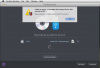
I am unable to do a clean install of Yosemite into a Parallels VM from App Store's "Install OS X Yosemite.app". I was able to do a "real" (non VM, non Parallels) clean install onto an SSD using the same "Install OS X Yosemite.app". Please help. I am running Parallels Desktop 10.1.1 (28614).

Screen Shot 2014-12-08 at 4.24.54 PM.png
 
I am unable to do a clean install of Yosemite into a Parallels VM from App Store's "Install OS X Yosemite.app". I was able to do a "real" (non VM, non Parallels) clean install onto an SSD using the same "Install OS X Yosemite.app". Please help. I am running Parallels Desktop 10.1.1 (28614).

View attachment 9656
Hi,

Simple fix :
- 1°) open your favorite mail app,
- 2°) send a mail to Parralels asking for a refund ;
- 3°) go to https://www.virtualbox.org/ and download the app that best suits your system ;
- 4°) launch this totally FREE app ;
- 5°) enjoy...

I am breathing freely since I did that.

Alternative fix :
- 1°) open your favorite mail app ;
- 2°) send a mail to Parallels reporting the problem ;
- 3°) wait for Parallels to release Parallels Desktop 11 in August 2016 ;
- 4°) pay 50 bucks for the upgrade which will be claimed to be mandatory when it is not ;
- 5°) pray that PD solves your problem which it most likely will not.

Remember : do not expect any help from Parallels which is paid software... when you can count on a pretty active community that has developed around Oracle's free software. Every question I've had so far was answered in their forums.

Regards.
 
Back
Top