
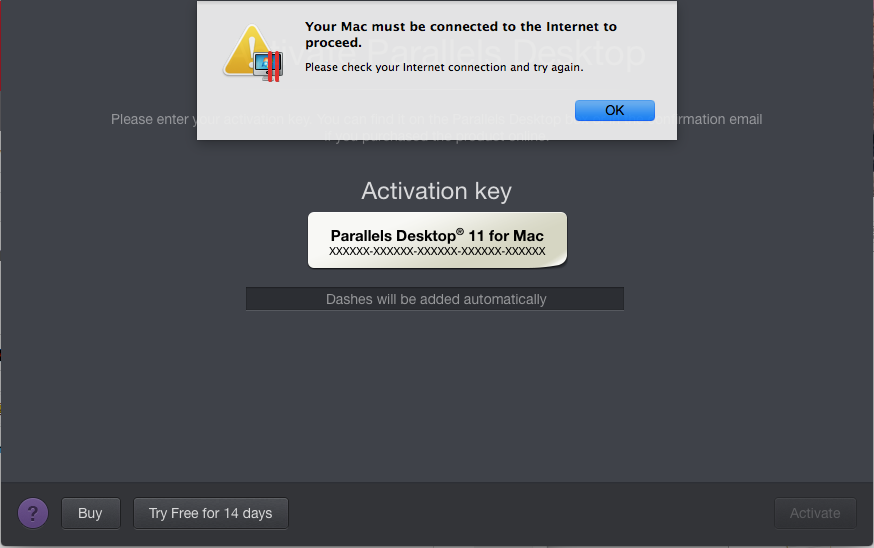
I am trying to install Parallels Desktop 11 on my Mac (OSX Yosemite Version 10.10.5). I have already done the registration and logging in, and when i reached the page for activation and I clicked on "Try Free for 14 days" I encounter this error "Your Mac must be connected to the Internet to proceed".
I have followed the steps here as mentioned in the post here but I am still having this issue.
This is how my proxy page looks like:

And my host file:
##
# Host Database
#
# localhost is used to configure the loopback interface
# when the system is booting. Do not change this entry.
##
127.0.0.1 localhost
255.255.255.255 broadcasthost
::1 localhost
I have also downloaded and run Fix hosts for PDfM.zip (nth seems to happen after i run it) as described in the link and restarted by computer. Still, the problem is not fixed.
Help pls... thx...
I have followed the steps here as mentioned in the post here but I am still having this issue.
This is how my proxy page looks like:
And my host file:
##
# Host Database
#
# localhost is used to configure the loopback interface
# when the system is booting. Do not change this entry.
##
127.0.0.1 localhost
255.255.255.255 broadcasthost
::1 localhost
I have also downloaded and run Fix hosts for PDfM.zip (nth seems to happen after i run it) as described in the link and restarted by computer. Still, the problem is not fixed.
Help pls... thx...

