I´m installing Parallels in a Early 2014 11" MacBook Air running macOS Big Sur - 11.7.10.
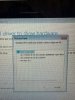
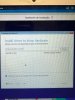
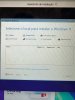
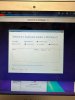
Installation was ok and when the Windows 11 installation starts, the first page asks to: "Select the locations to Install Windows 11" (free translation from Portuguese to English), and there´s NO PLACE at all to select from in the list above (see pic).
The only option available is to Reload (does nothing) OR Load Driver (Format Partition is not available). }
When I try Load Driver, it takes to another screen: "Install Driver to show hardware" - but I looked for the driver everywhere and can´t find it.
And can´t complete the Windows 11 installation...
Could anyone help me ??
Thanx in advance
Fabio Leite
Installation was ok and when the Windows 11 installation starts, the first page asks to: "Select the locations to Install Windows 11" (free translation from Portuguese to English), and there´s NO PLACE at all to select from in the list above (see pic).
The only option available is to Reload (does nothing) OR Load Driver (Format Partition is not available). }
When I try Load Driver, it takes to another screen: "Install Driver to show hardware" - but I looked for the driver everywhere and can´t find it.
And can´t complete the Windows 11 installation...
Could anyone help me ??
Thanx in advance
Fabio Leite