Apple Mac M1
macOS 13.5.1 Ventura
Parallels 19 for MAc
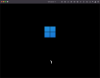
I am trying to install Windows 11 using the default download offered by Parallel 19 for Mac. After the installation program had appeared to stall, I decided to use the "Installation -> Manual Install" option, whereupon the screen grew a little larger but otherwise stayed unchanged. All I have is this screen, and it isn't giving any sign of changing any time soon...
I last used Parallels several years and versions ago. I seem t remember that the process then was quite straightforward and easy. Can anyone give me an idea of what's up now, and what I can do to process?
macOS 13.5.1 Ventura
Parallels 19 for MAc
I am trying to install Windows 11 using the default download offered by Parallel 19 for Mac. After the installation program had appeared to stall, I decided to use the "Installation -> Manual Install" option, whereupon the screen grew a little larger but otherwise stayed unchanged. All I have is this screen, and it isn't giving any sign of changing any time soon...
I last used Parallels several years and versions ago. I seem t remember that the process then was quite straightforward and easy. Can anyone give me an idea of what's up now, and what I can do to process?