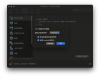
Install Windows 11 and set the VM program to Parallels and check Enable nested virtualization, the i

mVanson

Bit poster
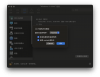
Install Windows 11 and set the VM program to Parallels and check Enable nested virtualization, the installation fails to start and will change the macOS date to one month ago
21518-9ee6759c96378226c8a9a67c8d21ac08.jpg
21517-c8f91bc0248a72f351559284e7108bef.jpg
21519-c57e205febcfc39bec77adac2461a02e.jpg


macOS :14.5 (23F79)
Parallels Desktop 19 for Mac Pro Edition: 版本 19.4.1 (54985)
 

Attachments

  • 截屏2024-06-11 20.46.26.png
    截屏2024-06-11 20.46.26.png
    507.4 KB · Views: 20
  • 截屏2024-07-11 20.34.25.png
    截屏2024-07-11 20.34.25.png
    546.1 KB · Views: 18
  • 截屏2024-06-11 20.47.19.png
    截屏2024-06-11 20.47.19.png
    94.3 KB · Views: 19
Install Windows 11 and set the VM program to Parallels and check Enable nested virtualization, the installation fails to start and will change the macOS date to one month ago

21518-9ee6759c96378226c8a9a67c8d21ac08.jpg
21517-c8f91bc0248a72f351559284e7108bef.jpg
21519-c57e205febcfc39bec77adac2461a02e.jpg


MacBookPro16,1
CPU: Eight-core Intel Core i9
macOS :14.5 (23F79)
Parallels Desktop 19 for Mac Pro Edition: 版本 19.4.1 (54985)

 
macOS 14 on Apple Silicon does NOT support Nested Virtualization (so Parallels Clients currently cannot use virtualization). Apple appears to be enabling Nested Virtualization on Apple Silicon with macOS 15; at this point Parallels should be able to implement the option. So if you are currently using Apple Silicon (M1-M3), you will need to wait.
 
... Apple is also addressing iCloud Sign On issues for Apple Silicon from a Virtual Machine with macOS 15. So once Apple releases macOS 15, and Parallels fully supports both of these new features, Parallel Clients should be more like running on a standalone box.
 
macOS 14 on Apple Silicon does NOT support Nested Virtualization (so Parallels Clients currently cannot use virtualization). Apple appears to be enabling Nested Virtualization on Apple Silicon with macOS 15; at this point Parallels should be able to implement the option. So if you are currently using Apple Silicon (M1-M3), you will need to wait.
My MacBook Pro Info:
Model Name: MacBook Pro
Model Identifier: MacBookPro16,1
Processor Name: 8-Core Intel Core i9
Processor Speed: 2.4 GHz
Number of Processors: 1
Total Number of Cores: 8
L2 Cache (per Core): 256 KB
L3 Cache: 16 MB
Hyper-Threading Technology: Enabled
Memory: 64 GB
System Firmware Version: 2022.100.22.0.0 (iBridge: 21.16.5077.0.0,0)
Operating System Bootloader Version: 580~2215
 
Back
Top