Increase ubuntu disk size

JohannesW2

Bit poster
I'm running Ubuntu 18.04 and doing some stuff with Yocto - the 64 GB of Hard Disk space that comes as standard is not enough. I increased it to 128 GB in the Parallels software on my Mac but this did not automatically update the space on Ubuntu.

I did a search and found a bunch of very old posts with the same issue with no easy solution - I'm hoping there is perhaps some easier way to get this fixed more than a decade later.
 
This issue have nothing to with Parallels.
After resizing from 64Gb to 128 Gb you can confirm this by running the following command:

parallels@ubuntu:~$ sudo lsblk
NAME MAJ:MIN RM SIZE RO. TYPE MOUNTPOINT
sda 8:0 0 128G 0 disk
└─sda1 8:1 0 1G 0 part /boot/efi
└─sda2 8:2 0 62.9G 0 part /

As you can see above the physical disk has been properly resized by Parallels to 128Gb, but that does not mean that the existing partitions on that disk has been automatically resized as well.
After disk resizing you need to use a partition tool, such as fdisk, or parted, to change the size of the partition where your file system is residing e.g /dev/sda2 in this case
 
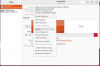
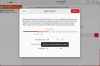
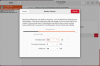
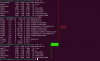
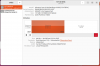
You can also see and perform resizing via GUI Disks utility. See attached screenshots for details.
 

Attachments

  • Screen Shot 2023-06-24 at 12.59.09 PM.png
    Screen Shot 2023-06-24 at 12.59.09 PM.png
    452.1 KB · Views: 129
  • Screen Shot 2023-06-24 at 1.01.19 PM.png
    Screen Shot 2023-06-24 at 1.01.19 PM.png
    500.2 KB · Views: 110
  • Screen Shot 2023-06-24 at 1.01.37 PM.png
    Screen Shot 2023-06-24 at 1.01.37 PM.png
    418.9 KB · Views: 106
  • Screen Shot 2023-06-24 at 1.02.06 PM.png
    Screen Shot 2023-06-24 at 1.02.06 PM.png
    405.5 KB · Views: 96
Back
Top