
Install the app
How to install the app on iOS
Follow along with the video below to see how to install our site as a web app on your home screen.
Note: This feature may not be available in some browsers.
You are using an out of date browser. It may not display this or other websites correctly.
You should upgrade or use an alternative browser.
You should upgrade or use an alternative browser.
Increase size of macOS guest vm on Apple Silicon
- Thread starter ImadB
- Start date
Best answer

Hello @ImadB,Has anyone been able to increase the size of a MacOS vm on Apple Silicon? There is no UI for it and it's currently not officially supported by Parallels. Has anyone been able to successfully do this manually?
Unfortunately, once the virtual machine is created, the disk size cannot be changed.
However, you may change the disk size during the installation process.
You can find more information in the 'Advanced installation' section in this article.
Regards,

Trishna Oobeyram
Staff member
Hello @ImadB,Has anyone been able to increase the size of a MacOS vm on Apple Silicon? There is no UI for it and it's currently not officially supported by Parallels. Has anyone been able to successfully do this manually?
Unfortunately, once the virtual machine is created, the disk size cannot be changed.
However, you may change the disk size during the installation process.
You can find more information in the 'Advanced installation' section in this article.
Regards,
ParallelsU591
Junior Member
I have the same problem. There's no access to settings, I've exhausted the built-in disk size and need more. On Create New, once I select the IPSW it just starts up the VM immediately.
On UTM, which is free software, going a similar route presents me with machine config:
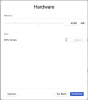
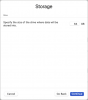
I would expect a commercial product to give me at least that.
On UTM, which is free software, going a similar route presents me with machine config:
I would expect a commercial product to give me at least that.
ChristopherB33
Bit poster
Using https://kb.parallels.com/125561#section5 I'm able to create the disk0.img as described but when the MacOS VM starts, it only shows the standard.
Using https://kb.parallels.com/125561#section5 I'm able to create the disk0.img as described but when the MacOS VM starts, it only shows the standard.
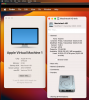
I've finally managed to resize the image this way:
Follow the instructions from the article, but instead of truncating the file named disk0.img, apply the truncate command to the file whose name looks like harddisk.hdd.0.{some GUID} and which is located in the harddisk.hdd subfolder of the VM's folder. Find out the exact name of the file by typing ls harddisk.hdd when in the VM's folder.
Note: I was unable to restore Sonoma ipsw on Ventura. I had to download Ventura ipsw. So, major versions of the current macOS and of the macOS being restored should probably match.
Jiri
Attachments
ChristopherB33
Bit poster
I've finally managed to resize the image this way:
Follow the instructions from the article, but instead of truncating the file named disk0.img, apply the truncate command to the file whose name looks like harddisk.hdd.0.{some GUID} and which is located in the harddisk.hdd subfolder of the VM's folder. Find out the exact name of the file by typing ls harddisk.hdd when in the VM's folder.
Note: I was unable to restore Sonoma ipsw on Ventura. I had to download Ventura ipsw. So, major versions of the current macOS and of the macOS being restored should probably match.
Jiri
As a followup.
1) Lastnight I tried reverting to Parallels 18, added the VM and then "upgraded" to Parallels 19. That worked.
2) Following your suggestion, this morning I tried using Parallels 19, immediately after creating the VM, I only saw the two config files when viewing the package contents. So I started the VM, waited for the "hello" and then powered off before proceeding. There I saw the disk0.img and used the truncate.
A) Downloaded IPSW file
In terminal
B)prlctl create "macOS2" -o macos --restore-image /Users/YOURUSERNAME/Downloads/UniversalMac_14.2.1_23C71_Restore.ipsw
C)Started VM using Control Center, powering off after "hello"
again in terminal
E)cd /Users/YOURUSERNAME/Parallels/macOS.macvm
to view disk name typed
ls <return>
truncate -s 250G disk0.img
Worked for me.
Would be nice if Parallels had a simpler command line they show for
"Install macOS VM in Parallels Desktop 18 and earlier"
Again thank you for your guidance