I can't connect to the internet in my virtual windows.

Carlos Bernal

Bit poster
I've tried everything.
Please see attached pictures, of my network settings.
 

Attachments

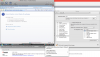
  • Parallels Network adapter settings.png
    Parallels Network adapter settings.png
    226.2 KB · Views: 15
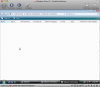
  • Windows Vista_ Network Connections.png
    Windows Vista_ Network Connections.png
    79.7 KB · Views: 10
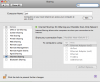
  • Mac Internet Sharing.png
    Mac Internet Sharing.png
    89.2 KB · Views: 12
Please reinstall Parallels Tools, shut down Windows properly, restart the Mac. After that please do the following:

1. Go to System Preferences-Sharing-Internet and turn off Apple Internet sharing;

2. Please set Parallels Network Adapter to Shared networking;

3. In Windows please open Network Connections, right-click LAN icon, find Local Area Connection properties, select Internet Protocol TCP/IP properties, open General Tab and select Obtain IP and DNS server addresses automatically checkboxes
 
Status: No change...

After I did what you told me, I re-started my mac and it's still no change. I am not able to connect to the internet.

Carlos
 

Attachments

  • Picture 1.png
    Picture 1.png
    227.4 KB · Views: 4
Back
Top