How to access Windows files

Hello. I am new to both Mac and Parallels. Is there a way to access the contents of a Parallels Windows installation on a Mac? A friend gave me his Mac a while ago and now needs me to send him some files he was working on in Windows on it, but doesn't know the password for Windows. Is there a way I can navigate to the Windows file system through Finder?
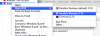
 
1. Locate the .pvm file of virtual machine in question in Finder:
- from the Parallels Desktop menu choose Window -> Virtual Machine List
- right click (control-click) on the name of your virtual machine in the Virtual Machine List and choose Show in Finder

OR

open Finder and type ".pvm" (without quotations) in the Spotlight

2. Right-click the .pvm file and choose Open With -> Parallels Mounter.

3. Open a new Finder window and locate your Windows drive(s) under the DEVICES.
 
is parallels actually installed? (go to Applications on your mac and look for "Parallels Desktop")
if it is, you should see the option to open with "Parallels Mounter" in the context menu

attachment.php


if it is not, download the trial version, install it and you should see the option.

parallels support has more details at http://download.parallels.com/desktop/v4/docs/en/Parallels_Explorer_Users_Guide/23687.htm
 

Attachments

  • Screen Shot 2012-12-13 at 7.39.16 PM.png
    Screen Shot 2012-12-13 at 7.39.16 PM.png
    69.8 KB · Views: 7
Last edited:
Back
Top