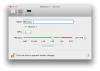
Thanks this is really good information. I had the same question as '105437' and I can confirm what you are saying in that under similar hardware I had 1 CPU and 2 GB RAM allocated to the virtual machine, then upped it to 4 CPU and 4 GB Ram, hoping to increase performance on the Virtual Machine, which was actually fine, I'm not sure what I was thinking. As expected the Mac got slower, but the Virtual Machine (64 bit Windows 7) got EVEN SLOWER than before. In fact, it almost came to a grinding halt. Wow. I would not have guessed that. But your explanation makes sense and it makes me wonder why that info is not more readily available from the panel where those setting are made. Although, when I set RAM to 4GB, I foolishly failed to notice that I was just inside the 'red' zone.
One slightly tangential comment: Power Hungry applications, like Adobe Premiere Pro for instance, should JUST NOT BE RUN while Parallels Desktop is running any virtual machine, IMHO. I plan on upgrading my main hard drive on my MacBook Pro to an SSD drive and I'm betting this will be less of a problem. Anyhow, THANK YOU Shaddam IV for the great information.
-Michael