James Minnihan
Member
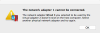
I am getting the following error (see attached screenshot) when I start up my Windows 8.1 Pro VM on my MBP. This adapter no longer exists on my MBP. What do I need to do to remove it from the VM's configuration?
"The network adapter 1 cannot be connected.
The network adapter Wired 3 you selected to be used by the virtual adapter 2 doesn't exist on the host computer. Select
another physical network adapter and try again."
Can't seem to find where this is defined in the VM's Configuration.
Thanks.
"The network adapter 1 cannot be connected.
The network adapter Wired 3 you selected to be used by the virtual adapter 2 doesn't exist on the host computer. Select
another physical network adapter and try again."
Can't seem to find where this is defined in the VM's Configuration.
Thanks.