How can I deactivate my Parallels Desktop 10 license

I am trying to move parallels to a new computer. But when I enter activation code I got this error

Failed to activate the license: Unable to confirm the product license. You have reached the maximum number of activations available for your activation key (http://www.parallels.com/eula). Please purchase a new product license.
 
Same issue here. I tried to follow the steps to deactivate but it doesn't work.
 
Last edited by a moderator:
I have changed my hdd to ssd. But when I enter activation code I got this error
Failed to activate the license: Unable to confirm the product license. You have reached the maximum number of activations available for your activation key (http://www.parallels.com/eula). Please purchase a new product license.
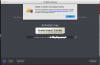
I am also follow the step but it's still can't activate. Please help. Thanks.
 
I have changed my hdd to ssd. But when I enter activation code I got this error
Failed to activate the license: Unable to confirm the product license. You have reached the maximum number of activations available for your activation key (http://www.parallels.com/eula). Please purchase a new product license.
I am also follow the step but it's still can't activate. Please help. Thanks.
Hi, we've changed your key settings, please check the issue and let us know how does it work. If the issue still persists, please provide us with your key via the private message
 
Hi, we've changed your key settings, please check the issue and let us know how does it work. If the issue still persists, please provide us with your key via the private message
i still can't activate the license. i' am new here and i don't know how to send private message.
 
Please help. Thanks in advance.
We have reset the activation key. Please follow the instructions below:
1. Quit Parallels Desktop, then try to activate after launching it again.
2. If you are still unable to activate, Open Terminal on the Mac and execute this command: prlsrvctl activate-license-online
 
We have reset the activation key. Please follow the instructions below:
1. Quit Parallels Desktop, then try to activate after launching it again.
2. If you are still unable to activate, Open Terminal on the Mac and execute this command: prlsrvctl activate-license-online

-bash: prlsrvctl: command not found.
I deleted the App and re-installed it, and now it can works. Thanks a lot. :)
 
Ill jump on this too, I need my key re-set too. Allowing me to re-activate on a new Mac.

On a side note there seems to be a lot of these posts, surely there is an easier way to do this?
 
Back
Top