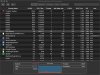
High cpu usage due to bsdtar process

The latest version of Parallels Toolbox is 4.0.1.
You can try it during the trial period and check the issue.

why do I need to install ToolBox? I just have a license of Do Not Sleep and it says it's up to date. Please clarify exactly the steps I have to do to get rid of this nightmare and preferably without having to install software that I do not need.
 
why do I need to install ToolBox? I just have a license of Do Not Sleep and it says it's up to date. Please clarify exactly the steps I have to do to get rid of this nightmare and preferably without having to install software that I do not need.
Could you please provide us with your "Do not sleep" version number?
 
Just upgraded to Mac OS X 10.15 (Catalina) and Parallels Version 15.0.0 (46967) and having a constantly running fan and major battery drain due to Mac process bsdtar. System is a 2016 13" MacBook Pro. What is bsdtar and why does it run long at 100% cpu usage?
Months after this message, I notice the same problem. I just upgraded to Mac OS Catalina, I keep the system up-to-date, I upgraded to Parallels 16.0.1, and the same problem appears. Several bsdtar process draining battery and rising up the temperature, leading to the fan constantly working. If I quit Parallels tools and all the bsdtar process, the problem disappears during that session.
 
Months after this message, I notice the same problem. I just upgraded to Mac OS Catalina, I keep the system up-to-date, I upgraded to Parallels 16.0.1, and the same problem appears. Several bsdtar process draining battery and rising up the temperature, leading to the fan constantly working. If I quit Parallels tools and all the bsdtar process, the problem disappears during that session.
Hello, what is your Parallels Toolbox version?
 
hello, i started having the same issue with bsdtar last few weeks, didnt have time to do a websearch on the issue until today and found this thread, i have tried some of the recommended solution here (updated the toolbox to the latest just now 4.01) and collected tech data from it (350185952) i am using parallels desktop v15.1.4(47270). could you please help me as soon as possible, i need to use the parallels desktop for an old business application that only runs on windows, hence cannot uninstall all unfortunately. thanks a lot in advance

murat
 

Attachments

  • 2020-09-22_17-20-46.jpg
    2020-09-22_17-20-46.jpg
    146.8 KB · Views: 5
hello, i started having the same issue with bsdtar last few weeks, didnt have time to do a websearch on the issue until today and found this thread, i have tried some of the recommended solution here (updated the toolbox to the latest just now 4.01) and collected tech data from it (350185952) i am using parallels desktop v15.1.4(47270). could you please help me as soon as possible, i need to use the parallels desktop for an old business application that only runs on windows, hence cannot uninstall all unfortunately. thanks a lot in advance
murat
Hi Murat, when does the issue appear? After starting/quit Parallels Toolbox/Parallels Desktop for example?
When you stop Parallels Toolbox does the bsdtar process eats 100% CPU?
Looking forward to your reply.
 
Hi Murat, when does the issue appear? After starting/quit Parallels Toolbox/Parallels Desktop for example?
When you stop Parallels Toolbox does the bsdtar process eats 100% CPU?
Looking forward to your reply.
Hello Maria,
it is quite intermittent, while parallels toolbox is running in the background bsdtar starts ramping up its CPU usage without any significant trigger. yesterday i took parallels toolbox out from start up and this morning so far i dont have an issue even when i have the parallels desktop running windows. just to test, i started the toolbox again. so far after about an hour of toolbox running along with the parallels desktop the CPU is still normal. as i said in the beginning it has been intermittent.

thanks

Murat
 
Hello Maria,
it is quite intermittent, while parallels toolbox is running in the background bsdtar starts ramping up its CPU usage without any significant trigger. yesterday i took parallels toolbox out from start up and this morning so far i dont have an issue even when i have the parallels desktop running windows. just to test, i started the toolbox again. so far after about an hour of toolbox running along with the parallels desktop the CPU is still normal. as i said in the beginning it has been intermittent.

thanks

Murat
Thank you for your reply Murat.
Please let us know if the issue reoccurs once again.
 
Months after this message, I notice the same problem. I just upgraded to Mac OS Catalina, I keep the system up-to-date, I upgraded to Parallels 16.0.1, and the same problem appears. Several bsdtar process draining battery and rising up the temperature, leading to the fan constantly working. If I quit Parallels tools and all the bsdtar process, the problem disappears during that session.
Hello, we've received your reply:
I don't know. I deleted Parallels toolbox at the MacOS side (i.e., outside
Parallels sandbox) and the problem is fixed. I actually never used
Parallels Tools, so I'm not missing it. Thank you, anyway.


Please let us know if you have any additional questions.
 
DavidM74 found a way to fix the problem:

Hello, everyone. I have found a workaround for this problem. It is pretty simple, actually. Follow these steps:
  1. Quit the Parallels Toolbox app.
  2. Go to the /Users/_______/Library/Logs folder. (Underlined part of the path is your username).
  3. Then, scroll down to find the ParallelsToolbox folder.
  4. Open the ParallelsToolbox folder and delete all the files from it.
  5. Then, right click on the ParallelsToolbox folder and select Get Info.
  6. Change the permissions on the folder: set your user to Read Only and set Everyone to No Access.
  7. Restart the Parallels Toolbox app.
Now, the app cannot create any files in there to run bsdtar on. All the commands fail silently. No more 100% processes after restarting or rebooting.

Pretty sure, the parallels team will never issue a fix for that bug (I call it a bug, but looks like it is just a try to increase sales).
Parallels force us to buy subscriptions? And lost a client. Hello, Fusion.
 
The BSDTAR problem has been plaguing me since upgrading to Catalina. I am using Parallels Toolbox version 2.0.4 (1219) / Parallels 15.1.5 (47309). Today I had seven BSDTAR processes running each using over 94% CPU. This is making my Mid-2014 Quad Core i7 MBP 15" work very hard and is surely going to kill the CPU eventually. I can manually kill the processes but that is not the a long term solution. I actually quite like Parallels Toolbox so do not wish to remove it. Please fix this bug. I will not even consider upgrading to the next version of Parallels until I have faith that fundamental bugs like this are being addressed.
 

Attachments

  • Screenshot 2020-10-22 at 13.36.36.png
    Screenshot 2020-10-22 at 13.36.36.png
    172 KB · Views: 2
The BSDTAR problem has been plaguing me since upgrading to Catalina. I am using Parallels Toolbox version 2.0.4 (1219) / Parallels 15.1.5 (47309). Today I had seven BSDTAR processes running each using over 94% CPU. This is making my Mid-2014 Quad Core i7 MBP 15" work very hard and is surely going to kill the CPU eventually. I can manually kill the processes but that is not the a long term solution. I actually quite like Parallels Toolbox so do not wish to remove it. Please fix this bug. I will not even consider upgrading to the next version of Parallels until I have faith that fundamental bugs like this are being addressed.
You are using an older version of Parallels Toolbox which you have got with Parallels Desktop 13 on the newest version of macOS X which is causing the issue. You have to upgrade Parallels Toolbox to the latest version in which the issue is resolved. You are using Parallels Desktop 15 on Catalina as Parallels Desktop 13 is not compatible with Catalina similarly you have to upgrade Parallels Toolbox to the latest version.
 
You are using an older version of Parallels Toolbox which you have got with Parallels Desktop 13 on the newest version of macOS X which is causing the issue. You have to upgrade Parallels Toolbox to the latest version in which the issue is resolved. You are using Parallels Desktop 15 on Catalina as Parallels Desktop 13 is not compatible with Catalina similarly you have to upgrade Parallels Toolbox to the latest version.

Dear Ajith,
Thank you for your quick reply. I can see now that my version of Toolbox is two versions out of date, although I must admit to not being unclear on the age of my version. I think that the way Toolbox has been bundled in different ways with previous versions of Desktop is the source of confusion. I have slightly reluctantly upgraded to the new versions of Desktop and Toolbox. I sincerely hope that the BSDTAR problem no longer persists!
Best wishes,
Guy
 
I would like to add my voice to this as, suddenly, I am having bsdtar CPU issues that exactly coincide with my running of Parallels Toolbox. I haven't run it in several years because it didn't really offer anything useful to me, but just on a whim decided to install it yesterday to see what was new. It went through several automatic updates as it bootstrapped itself to the latest version (according to release notes), and now I have a bsdtar process that is at 99% CPU and has consumed 21h17m of CPU since yesterday. I did not know Toolbox was the culprit, but Googling bsdtar CPU showed this thread as the number one hit.

Into to the bin with that application!

You won't lose a Parallels customer after this because // is too valuable for me and my work. But after what looks like months with this issue based on the comments in this thread, shame on Parallels for leaving such sloppy coding around and not fixing what is clearly a ton of evidence.
 
I would like to add my voice to this as, suddenly, I am having bsdtar CPU issues that exactly coincide with my running of Parallels Toolbox. I haven't run it in several years because it didn't really offer anything useful to me, but just on a whim decided to install it yesterday to see what was new. It went through several automatic updates as it bootstrapped itself to the latest version (according to release notes), and now I have a bsdtar process that is at 99% CPU and has consumed 21h17m of CPU since yesterday. I did not know Toolbox was the culprit, but Googling bsdtar CPU showed this thread as the number one hit.

Into to the bin with that application!

You won't lose a Parallels customer after this because // is too valuable for me and my work. But after what looks like months with this issue based on the comments in this thread, shame on Parallels for leaving such sloppy coding around and not fixing what is clearly a ton of evidence.
Hello,
Thank you for your feedback.
bsdtar proccess issue has been resolved at 3.9 Parallels Toolbox version.
If the issue reoccurs once again, could you please help us with the further issue investigation and collect the tech report once the issue reoccurs?
Looking forward to your reply.
 
Parallels Toolbox auto-updated to 4.1.0 (3674), and the problem was still there. I won't be running it again, sorry.
 
At the request of Parallels, I re-enabled Toolbox and have been running it all day. Since I had reported the bsdtar problem I have restarted, so bsdtar was not running. And now, at the end of the day, bsdtar is still not running. So it would appear that the latest version does fix the problem. My explanation for why it was still an issue for me is that, probably, while Toolbox was going through its update gyrations from an earlier version (I believe it incrementally auto-updated three times), one of those versions started it up and left it as a zombie process.
 
Back
Top