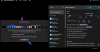
Glad to see that Hide Menu is supposed to now be working under Big Sur, but it's not working with my monitor setup. I used it a lot before Big Sur.
I have two large monitors side by side with a MacBook Pro 2018 monitor centered below them. The system menu bar is on the laptop screen, so there's no "edge" above it which may have something to do with the issue.
With the 4.1.1 update, Hide menu will now show up in the menu bar when opened, but won't show the "hidden" menu bar. Preferences work fine for configuration, but I can't use Hide Menu in my normal configuration. It does work (albeit with a lag - it's slow) if I relocate the system menu bar to one of the upper monitors so that there is an "edge" above it. Hide Menu used to work fine with the system menu on the laptop under Catalina and earlier versions of Parallel Tools.
I have two large monitors side by side with a MacBook Pro 2018 monitor centered below them. The system menu bar is on the laptop screen, so there's no "edge" above it which may have something to do with the issue.
With the 4.1.1 update, Hide menu will now show up in the menu bar when opened, but won't show the "hidden" menu bar. Preferences work fine for configuration, but I can't use Hide Menu in my normal configuration. It does work (albeit with a lag - it's slow) if I relocate the system menu bar to one of the upper monitors so that there is an "edge" above it. Hide Menu used to work fine with the system menu on the laptop under Catalina and earlier versions of Parallel Tools.