If you have time, next time it greyscreens on you, pull down the Help menu, select "Report a Problem...", and once you've submitted it, paste the report ID into this thread for future reference. You'll probably have to drag the VM from the secondary back onto your primary screen in order to see the dialog boxes, of course.

Install the app
How to install the app on iOS
Follow along with the video below to see how to install our site as a web app on your home screen.
Note: This feature may not be available in some browsers.
You are using an out of date browser. It may not display this or other websites correctly.
You should upgrade or use an alternative browser.
You should upgrade or use an alternative browser.
Grey screen on 9.0.23350
- Thread starter JonG89
- Start date
Ben@Breakfast
Bit poster
Here's the Report ID: 45134348 Of course, it happened again. It does seem to be happening more and more frequently - which is scary. Parallels seems to have lots of trouble with multiple spaces and screens anyway, even without this problem with SW...
Here's a new bit of information. On a whim, I launched two different VMs simultaneously, and put them both into fullscreen mode on the secondary monitor--so I could switch between them using Mission Control. One VM is Windows 7, the other is Linux Mint 15, both running the latest version of Parallels Tools. I opened an Explorer window in the Windows 7 VM and dragged it around, and the greyscreen occurred in _both_ VMs simultaneously.
This appears to be further confirmation that the issue is not with a particular VM or its settings, but is an incompatibility in the way Parallels Desktop is interacting with the virtual display subsystem in Mavericks.
I have a support remote-control session scheduled for this afternoon. It probably won't fix anything, but maybe if we keep running this up the flagpole...
This appears to be further confirmation that the issue is not with a particular VM or its settings, but is an incompatibility in the way Parallels Desktop is interacting with the virtual display subsystem in Mavericks.
I have a support remote-control session scheduled for this afternoon. It probably won't fix anything, but maybe if we keep running this up the flagpole...
Interestingly, the support tech and I discovered that, during a remote control support session, the behavior can change such that the greyscreen occurs on either the secondary or the primary display. Since the remote control session is also interacting with the Mavericks virtual display subsystem, this lends support to my theory that the underlying problem has something to do with the way Parallels interacts with the virtual display subsystem in Mavericks.
If you're experiencing the random-greyscreen-on-secondary-monitor syndrome, one workaround is to disable the "Use Mac OS X Full Screen" setting in the VM's "Options-->Full Screen" configuration panel.
The support tech gave me one other workaround to try. Pull down the "View" menu and enable the "Use All Displays in Full Screen" option. If you have time to try this, please report your results in this thread. I'm having mixed results; the Win7 VM appears to be a bit more stable in this configuration, but I managed to get my Linux Mint VM all screwed up, with multiple screens on one display, one grey, one not.

If you're experiencing the random-greyscreen-on-secondary-monitor syndrome, one workaround is to disable the "Use Mac OS X Full Screen" setting in the VM's "Options-->Full Screen" configuration panel.
The support tech gave me one other workaround to try. Pull down the "View" menu and enable the "Use All Displays in Full Screen" option. If you have time to try this, please report your results in this thread. I'm having mixed results; the Win7 VM appears to be a bit more stable in this configuration, but I managed to get my Linux Mint VM all screwed up, with multiple screens on one display, one grey, one not.
Last edited:
Note that the greyscreen occurs even with just one VM running, but I've found that it's more impressive when multiple VMs all go grey at once.
To replicate the issue, the VM's "Options-->Full Screen" configuration should be:
Use Mac OS X Full Screen ENABLED
Active Screen Corners DISABLED
Scale to fit screen: Auto
Use all displays in full screen DISABLED
Start the VM, set it to Full Screen mode, and use Mission Control to drag the VM's screen to the secondary display. On my system, the VM screen will eventually go completely grey.
If multiple VMs are running, each in their own fullscreen on the secondary display, they will all go completely grey at the same time. This indicates to me that the problem is not with any particular VM, but with the Parallels Desktop video subsystem.
If a VM is not in fullscreen, or has the "Use all displays in full screen" enabled, or "Use Mac OS X Full Screen" disabled, the greyscreen does not occur.
I launched four different VMs, and generated a problem report for each one that went grey simultaneously (interestingly, the Win7 VM did not go grey with the rest of them this time as it usually does; no idea why):
1. Windows XP (report ID 45262351)
2. Linux Mint 15 (report ID 45262423)
3. tails 1.0.1, without Parallels Tools (report ID 45262474)

To replicate the issue, the VM's "Options-->Full Screen" configuration should be:
Use Mac OS X Full Screen ENABLED
Active Screen Corners DISABLED
Scale to fit screen: Auto
Use all displays in full screen DISABLED
Start the VM, set it to Full Screen mode, and use Mission Control to drag the VM's screen to the secondary display. On my system, the VM screen will eventually go completely grey.
If multiple VMs are running, each in their own fullscreen on the secondary display, they will all go completely grey at the same time. This indicates to me that the problem is not with any particular VM, but with the Parallels Desktop video subsystem.
If a VM is not in fullscreen, or has the "Use all displays in full screen" enabled, or "Use Mac OS X Full Screen" disabled, the greyscreen does not occur.
I launched four different VMs, and generated a problem report for each one that went grey simultaneously (interestingly, the Win7 VM did not go grey with the rest of them this time as it usually does; no idea why):
1. Windows XP (report ID 45262351)
2. Linux Mint 15 (report ID 45262423)
3. tails 1.0.1, without Parallels Tools (report ID 45262474)
Well, hey. After a month with no problems, it's happening again. Parallels Desktop 9.0.24237 just greyscreened. I just submitted Problem Report ID 47125589.
And take a look at this:
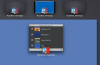
Note that I have four VMs running (all with updated Parallels Tools, except for the tails VM, which has no PT installed at all). All of them are in fullscreen mode, and on the secondary monitor, but only three of them actually appear in Mission Control. When I sent the four VMs to the secondary monitor, and then they went grey, all hell broke loose with my virtual screens. The Parallels VM list jumped around between various screens, screens jumped from one monitor to the other and rearranged themselves, and obviously Parallels has lost track of one VM's screen altogether (actually, I figured out that it "stacked" the WinXP and tails VMs on top of each other--in fullscreen mode). I don't know what's happening, but the problem just got significantly worse.
This all reinforces my theory that Parallels Desktop has a fundamental conflict with the virtual display system in Mavericks. It's still not fixed, y'all.
And take a look at this:
Note that I have four VMs running (all with updated Parallels Tools, except for the tails VM, which has no PT installed at all). All of them are in fullscreen mode, and on the secondary monitor, but only three of them actually appear in Mission Control. When I sent the four VMs to the secondary monitor, and then they went grey, all hell broke loose with my virtual screens. The Parallels VM list jumped around between various screens, screens jumped from one monitor to the other and rearranged themselves, and obviously Parallels has lost track of one VM's screen altogether (actually, I figured out that it "stacked" the WinXP and tails VMs on top of each other--in fullscreen mode). I don't know what's happening, but the problem just got significantly worse.
This all reinforces my theory that Parallels Desktop has a fundamental conflict with the virtual display system in Mavericks. It's still not fixed, y'all.
Last edited:
At first, I thought it was random too, but then I noticed it only turns grey when I move the mouse cursor to the top of the screen. I also have Windows 7 on a 1920x1080 screen which I use next to my 15 inch MBP through the display port, and often when I move the cursor quickly from windows to osx it touches the top of the screen and it turns grey. To fix it I swipe up with three fingers, move windows to the laptop screen, exit full screen, move it back to the external display and make it full screen. Then it works even though I move the cursor to the top, for a while. Exactly what I do to make it not work again I do not know, but I do notice that sometimes when I switch back to windows it changes resolution briefly revealing the grey background behind Windows as borders on top and bottom, as if it goes in to a 16:8 aspect ration for a second. Sometimes after this occurs, it will turn grey when I move the cursor to the top.
Yep Jaxell. That's exactly what I see. I've also noticed that I do not get the problem as long as I drag the windowed version to my main monitor (shown with the menu bar in the arrangement tab of displays) before clicking the full screen icon. If I don't I can move the mouse to the top of the screen and hey presto grey screen.