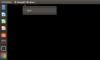
Any ideas how to solve the black window issue? This used to work fine until the most recent Ubuntu/Chrome upgrades about three weeks ago. (parallels 14.1.3, Ubuntu 18.04 all recent patches installed, Google Chrome up to date (74? Cannot see as the window is black).
When I start Chrome with --no-gpu option, it works fine but is ridiculously slow.
How do I resolve this?
When I start Chrome with --no-gpu option, it works fine but is ridiculously slow.
How do I resolve this?
 I always used Chrome in my Ubuntu in Parallels, but since a couple of days the window is black. Uninstalling and re-installing did not help.