Further explanation on KB124575

JamieS73

Junior Member
I am confused on how memory allocation works.

I am using a 2018 15" Macbook Pro with 16GB of system RAM and 4GB of vRAM. I understand from KB124575 that the APIs used by MacOS do not allow applications to directly request vRAM. I frequently run parallels alongside MATLAB, so memory management is of concern.

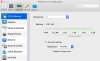
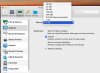
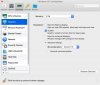
My question is: If I use the Auto setting for vRAM management in the hardware tab of the Parallels Configuration window, and I assign Parallels half of my system RAM, will it occupy 8GB plus whatever vRAM the Host decides? Or should I manually set it to 2GB vRAM and 6GB system RAM to maximize on system RAM usage?

Any advice, as well as clarification on the memory management systems over KB124575, is greatly appreciated.
 
Hello JamieS73.
If I use the Auto setting for vRAM management in the hardware tab of the Parallels Configuration window, and I assign Parallels half of my system RAM, will it occupy 8GB plus whatever vRAM the Host decides?
It will use up 8 GB RAM from your Mac RAM - and half of that amount is allocated for graphics purposes.
Or should I manually set it to 2GB vRAM and 6GB system RAM to maximize on system RAM usage?
This setup lets the VM use up 8 GB RAM from the Mac RAM - 2 GB from that amount is allocated for graphics purposes.
 
It will use up 8 GB RAM from your Mac RAM - and half of that amount is allocated for graphics purposes.
So, hypothetically, if I run a program in Windows that uses 3GB of RAM for processes and 1GB for video, Windows will display that as using 4GB of RAM. However, on the actual hardware, 3GB of System RAM are used and 1GB of vRAM may be used depending on how the Host chooses to allocate memory. Is this correct?

Edit: I guess my exact questions are: when will programs in my VM use the Host's vRAM? And, will this be visible in the Windows Task Manager (memory tab)?
 
Last edited:
However, on the actual hardware, 3GB of System RAM are used and 1GB of vRAM may be used depending on how the Host chooses to allocate memory. Is this correct?
On the actual hardware, the RAM amount used up by the VM from the Mac RAM is the RAM amount allocated to the VM. Part of this RAM will be utilized for graphics purposes.
when will programs in my VM use the Host's vRAM?
Windows uses all host RAM that is dedicated to VM. When Windows app requires memory resources, it is allocated by Windows in host RAM.
And, will this be visible in the Windows Task Manager (memory tab)?
Task Manager will show how much RAM is used by an app in Windows.
 
When these programs utilize the RAM amount allocated to the VM.
So, the host APIs abstract away the vRAM and use it whenever appropriate, and when I allocate RAM to the VM, I should only be thinking about the system RAM?
Part of this RAM will be utilized for graphics purposes.
I am not a software engineer, but if I understand correctly, on a normal machine with both integrated and dedicated graphics, the integrated graphics shares system RAM with the CPU, while the dedicated graphics uses its own RAM (the vRAM). It sounds to me like the Parallels VM only presents the Windows Guest with a CPU with integrated graphics and no vRAM, and lets the Mac Host handle the rest. Have I figured it out?
 
I wish to use the automatic vRAM management feature but it will only allow me to select "2GB" dedicated video RAM in graphics. I have a new iMac with 32GB RAM and an 8GB graphics card, but I still can't get Windows to use more than the 2GB of graphics ram! What do I need to do to get your advertised 4GB of vRAM?
 
Greg, could you please click on the advanced settings (in Graphics tab) and make a screenshot of it?
Looking forward to your reply with screenshot.
 
And when you change 3D acceleration to DirectX 9 and return to DirectX 10 nothing changes right?
If yes, please generate the problem report using this KB article and reply us back with the report ID.
Nope. Nothing changes when the DirectX is changed between 10, 9, or even None. Same options are available in the "memory" pulldown of the Graphics settings no matter what I do it seems.
 
Solved! (at least for me) Windows 10 VM wouldn't install Parallels Tools update until I manually went to the disk D in Windows and ran it manually. Suddenly video settings show "Auto (recommended)" and upon setting it I am able to use 4GB of system memory as VRAM. Minecraft is loving it!
 
Back
Top