Install the app
How to install the app on iOS
Follow along with the video below to see how to install our site as a web app on your home screen.
Note: This feature may not be available in some browsers.
You are using an out of date browser. It may not display this or other websites correctly.
You should upgrade or use an alternative browser.
You should upgrade or use an alternative browser.
FUNCTION KEYS Please fix it, it has been too long
- Thread starter dghpts
- Start date
Has anyone had the issue that this fix has stopped working in Lion? F9 and Ctrl+Left Arrow seem hard-wired to Dashboard.
Thanks,
Zak
Sorry, please ignore - I found the solution here:
http://forum.parallels.com/showpost.php?p=453884&postcount=7
Function Keys ON in OSX, Function Keys OFF in Parallels (on with fn key pressed)
RE: Macbook Air Mid 2011
Hello All,
Just thought I would follow up on the excellent post from mdrejhon3.
As stated above, my machine is the mid 2011 mba. The function keys are slightly different on this machine to the ones listed.
I followed mdrejhon3's instructions and enabled/disabled the settings in Parallels as outlined and downloaded the KeyRemap software from their website.
You should make sure that Parallels is off when you install KeyRemap as it needs to restart.
Once it installs and your machine restarts, you should see a square in the top bar. Click on this and open Preferences.
Go to Miscellaneous/uninstall and click open private.xml
This (for me) opened finder.
(two button) or (right) click on the file and open it with TextEdit
When it opens, delete all text in the window.
Copy the following text from between the lines and paste into your blank TextEdit window:
---------------------------------------------------
<?xml version="1.0"?>
<root>
<list>
<item>
<name>Macbook Air: Keyboard Preferences Configured to Standard Function Keys</name>
<list>
<item>
<name>F1,F2 to TS Brightness Adjust (except in Parallels/RDP)</name>
<appendix>F1 to Brightness Down</appendix>
<appendix>F2 to Brightness Up</appendix>
<identifier>TSremap.air_f1f2</identifier>
<not>VIRTUALMACHINE, REMOTEDESKTOPCONNECTION</not>
<autogen>--KeyToConsumer-- KeyCode::F1, ConsumerKeyCode::BRIGHTNESS_DOWN</autogen>
<autogen>--KeyToConsumer-- KeyCode::F2, ConsumerKeyCode::BRIGHTNESS_UP</autogen>
</item>
<item>
<name>F3,F4 to TSv3 Expose/Launchpad (except in Parallels/RDP)</name>
<appendix>F3 to Expose</appendix>
<appendix>F4 to Launchpad</appendix>
<identifier>TSv3remap.air_f3f4</identifier>
<not>VIRTUALMACHINE, REMOTEDESKTOPCONNECTION</not>
<autogen>--KeyToKey-- KeyCode::F3, KeyCode::EXPOSE_ALL</autogen>
<autogen>--KeyToKey-- KeyCode::F4, KeyCode::LAUNCHPAD</autogen>
</item>
<item>
<name>F5,F6 to TSv3 Expose/Launchpad (except in Parallels/RDP)</name>
<appendix>F3 to Expose</appendix>
<appendix>F4 to Launchpad</appendix>
<identifier>TSv2remap.air_f3f4</identifier>
<not>VIRTUALMACHINE, REMOTEDESKTOPCONNECTION</not>
<autogen>--KeyToKey-- KeyCode::F3, KeyCode::EXPOSE_ALL</autogen>
<autogen>--KeyToKey-- KeyCode::F4, KeyCode::LAUNCHPAD</autogen>
</item>
<item>
<name>F7,F8,F9 to TSv4 Music Controls (except in Parallels/RDP)</name>
<appendix>F7 to Music Prev</appendix>
<appendix>F8 to Music Play/Pause</appendix>
<appendix>F9 to Music Next</appendix>
<identifier>TSv4remap.air_f6f7f8</identifier>
<not>VIRTUALMACHINE, REMOTEDESKTOPCONNECTION</not>
<autogen>--KeyToConsumer-- KeyCode::F7, ConsumerKeyCode::MUSIC_PREV</autogen>
<autogen>--KeyToConsumer-- KeyCode::F8, ConsumerKeyCode::MUSIC_PLAY</autogen>
<autogen>--KeyToConsumer-- KeyCode::F9, ConsumerKeyCode::MUSIC_NEXT</autogen>
</item>
<item>
<name>F9,F10,F11 TS to Speaker Controls (except in Parallels/RDP)</name>
<appendix>F10 to Mute</appendix>
<appendix>F11 to Volume Down</appendix>
<appendix>F12 to Volume Up</appendix>
<identifier>TSremap.air_f9f10f11</identifier>
<not>VIRTUALMACHINE, REMOTEDESKTOPCONNECTION</not>
<autogen>--KeyToConsumer-- KeyCode::F10, ConsumerKeyCode::VOLUME_MUTE</autogen>
<autogen>--KeyToConsumer-- KeyCode::F11, ConsumerKeyCode::VOLUME_DOWN</autogen>
<autogen>--KeyToConsumer-- KeyCode::F12, ConsumerKeyCode::VOLUME_UP</autogen>
</item>
</list>
</item>
</list>
</root>
----------------------------------------------------------
After pasting....
Press cmd+s to save the document.
Go back to the "Change Key" tab and click "reloadXML"
(Hopefully) at the very top of the list there, you'll see a field called: "Macbook Air: Keyboard Preferences Configured to Standard Function Keys"
Click into this and enable the settings you've just created.
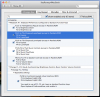
NB: this does NOT include the function keys for the keyboard backlight. This setting can be found through the menu system of the other available functions, please see the image attached.
RE: Macbook Air Mid 2011
Hello All,
Just thought I would follow up on the excellent post from mdrejhon3.
As stated above, my machine is the mid 2011 mba. The function keys are slightly different on this machine to the ones listed.
I followed mdrejhon3's instructions and enabled/disabled the settings in Parallels as outlined and downloaded the KeyRemap software from their website.
You should make sure that Parallels is off when you install KeyRemap as it needs to restart.
Once it installs and your machine restarts, you should see a square in the top bar. Click on this and open Preferences.
Go to Miscellaneous/uninstall and click open private.xml
This (for me) opened finder.
(two button) or (right) click on the file and open it with TextEdit
When it opens, delete all text in the window.
Copy the following text from between the lines and paste into your blank TextEdit window:
---------------------------------------------------
<?xml version="1.0"?>
<root>
<list>
<item>
<name>Macbook Air: Keyboard Preferences Configured to Standard Function Keys</name>
<list>
<item>
<name>F1,F2 to TS Brightness Adjust (except in Parallels/RDP)</name>
<appendix>F1 to Brightness Down</appendix>
<appendix>F2 to Brightness Up</appendix>
<identifier>TSremap.air_f1f2</identifier>
<not>VIRTUALMACHINE, REMOTEDESKTOPCONNECTION</not>
<autogen>--KeyToConsumer-- KeyCode::F1, ConsumerKeyCode::BRIGHTNESS_DOWN</autogen>
<autogen>--KeyToConsumer-- KeyCode::F2, ConsumerKeyCode::BRIGHTNESS_UP</autogen>
</item>
<item>
<name>F3,F4 to TSv3 Expose/Launchpad (except in Parallels/RDP)</name>
<appendix>F3 to Expose</appendix>
<appendix>F4 to Launchpad</appendix>
<identifier>TSv3remap.air_f3f4</identifier>
<not>VIRTUALMACHINE, REMOTEDESKTOPCONNECTION</not>
<autogen>--KeyToKey-- KeyCode::F3, KeyCode::EXPOSE_ALL</autogen>
<autogen>--KeyToKey-- KeyCode::F4, KeyCode::LAUNCHPAD</autogen>
</item>
<item>
<name>F5,F6 to TSv3 Expose/Launchpad (except in Parallels/RDP)</name>
<appendix>F3 to Expose</appendix>
<appendix>F4 to Launchpad</appendix>
<identifier>TSv2remap.air_f3f4</identifier>
<not>VIRTUALMACHINE, REMOTEDESKTOPCONNECTION</not>
<autogen>--KeyToKey-- KeyCode::F3, KeyCode::EXPOSE_ALL</autogen>
<autogen>--KeyToKey-- KeyCode::F4, KeyCode::LAUNCHPAD</autogen>
</item>
<item>
<name>F7,F8,F9 to TSv4 Music Controls (except in Parallels/RDP)</name>
<appendix>F7 to Music Prev</appendix>
<appendix>F8 to Music Play/Pause</appendix>
<appendix>F9 to Music Next</appendix>
<identifier>TSv4remap.air_f6f7f8</identifier>
<not>VIRTUALMACHINE, REMOTEDESKTOPCONNECTION</not>
<autogen>--KeyToConsumer-- KeyCode::F7, ConsumerKeyCode::MUSIC_PREV</autogen>
<autogen>--KeyToConsumer-- KeyCode::F8, ConsumerKeyCode::MUSIC_PLAY</autogen>
<autogen>--KeyToConsumer-- KeyCode::F9, ConsumerKeyCode::MUSIC_NEXT</autogen>
</item>
<item>
<name>F9,F10,F11 TS to Speaker Controls (except in Parallels/RDP)</name>
<appendix>F10 to Mute</appendix>
<appendix>F11 to Volume Down</appendix>
<appendix>F12 to Volume Up</appendix>
<identifier>TSremap.air_f9f10f11</identifier>
<not>VIRTUALMACHINE, REMOTEDESKTOPCONNECTION</not>
<autogen>--KeyToConsumer-- KeyCode::F10, ConsumerKeyCode::VOLUME_MUTE</autogen>
<autogen>--KeyToConsumer-- KeyCode::F11, ConsumerKeyCode::VOLUME_DOWN</autogen>
<autogen>--KeyToConsumer-- KeyCode::F12, ConsumerKeyCode::VOLUME_UP</autogen>
</item>
</list>
</item>
</list>
</root>
----------------------------------------------------------
After pasting....
Press cmd+s to save the document.
Go back to the "Change Key" tab and click "reloadXML"
(Hopefully) at the very top of the list there, you'll see a field called: "Macbook Air: Keyboard Preferences Configured to Standard Function Keys"
Click into this and enable the settings you've just created.
NB: this does NOT include the function keys for the keyboard backlight. This setting can be found through the menu system of the other available functions, please see the image attached.