FTDI D2XX Driver not working on Windows 11 ARM with M3 Pro Mac

ChristianG22

Bit poster
Hi,
I can't connect to a USB device using FTDI hardware on an Apple MacBook Pro with M3 Pro processor.
This is my scenario:
  • Apple MacBook Pro with M3 Pro chip
  • macOS Sonoma 14.4.1
  • Parallels Desktop 19 for Mac Pro Edition 19.3.1
  • Parallels ARM Virtual Machine Running Windows 11 Pro ARM 23H2
  • FTDI D2XX driver v2.12.36.4A for Windows 11 ARM, manually installed as per instructions
  • ECUMASTER EMU Black client software v2.169
  • ECUMASTER EMU Black USB device
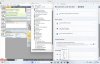
USB device with FTDI chip shows up in device manager correctly as USB Serial Converter and USB Serial Port (COM3) and in the Bluetooth and devices overview under Other devices as ECUMASTER EMU BLACK but will not connect with client software (see attached screenshot).
There are users with the same scenario and an Apple M1 host where this works, my M3 does not.
I used to work with an Intel i9 MacBook Pro and Windows 11 before without any trouble.
Any ideas?
 

Attachments

  • Windows 11 ARM FTDI Driver Problem.jpg
    Windows 11 ARM FTDI Driver Problem.jpg
    594.5 KB · Views: 38
I'm having a similar issue trying to get the GM vehicle diagnostic USB interface to connect to Diagnostic software in Windows 11 ARM. It shows up as com port which it not a com port device.
 
I have the same Problem on my MacBook Pro M3 and hopefully somebody know a solution
 

Attachments

  • Bildschirmfoto 2024-10-18 um 22.08.15.png
    Bildschirmfoto 2024-10-18 um 22.08.15.png
    5.9 KB · Views: 36
I have exactly the same situation. I need to use windows software to program various things from Teensys to motor controllers. All use USB based connections. I have an M3 macbook and parallels 20 running windows 11. I have not been able to get a single USB connection to work. I now see this is a common problem.
 
I have been having similar issues and have seen instructions to installed TWO (2) drivers under Windows ARM version on Parallels v18-19-20.

One is VCP drivers and another is D2XX drivers (or in this post, CP210x drivers). Links:
https://ftdichip.com/drivers/vcp-drivers/
https://www.silabs.com/developer-tools/usb-to-uart-bridge-vcp-drivers

These drivers are based on chipsets installed in your computer/device.
Many USB and BLUETOOTH devices suggest the VCP & D2XX drivers from the ftdichip.com site.

There are several steps to get this to work.
1. Enable MacOS for bluetooth support / sharing
2. Enable Parallels v18-20 for bluetooth access/sharing from host MacOS
3. Installing drivers (D2XX or D2XX & VCP) in Windows (11) ARM OS installation ... usually in Device Manager, manually, some drivers have installation/setup package versus ZIP extract of driver folders
4. Installing application to use usb/bluetooth device using the correct settings (bluetooth, serial/com w correct speed settings, VDI, etc) ... may require changing application defaults to make connection

In my case I am attempting to get vGate vLinker FS USB & BLUETOOTH devices to work in Windows 11 ARM environment w FORScan (auto).
They shared a good document that walks you through the process that may be helpful here... at least steps to try.
Unfortunately I had to compress 3MB file and the images dont come out the clearest :(

I hope this info helps some of you... Grant
 

Attachments

Back
Top