MichaelM92
Member
BTW, I am using the latest version of Parallels Desktop 19 for Mac, Pro Edition,
Version 19.0.0 (54570)
Version 19.0.0 (54570)

Follow along with the video below to see how to install our site as a web app on your home screen.
Note: This feature may not be available in some browsers.

Hi Michael,BTW, I am using the latest version of Parallels Desktop 19 for Mac, Pro Edition,
Version 19.0.0 (54570)
Hi Michael,
Would you collect a technical report at the moment of the issue reproduction, please? And post its ID here, please?
What steps have you take to replicate it - just upgraded macOS to macOS Sonoma?
I suppose the virtual hard drive lacks the main .hdd file. We'll open a ticket for you to try fixing that.Impossible to do...turns out, my VM HD was reduced from multi GB size to 14,512 bytes in size...unfortunately, my backups don't go past where it got truncated.
Hi @LucaC11 , your case is identical to others who have kept the virtual machine on an external exfat drive and upgraded to macOS Sonoma. I've sent all the details about your case to our Engineering team.Hi guys,
I'm experiencing the same issue on my MacBook Pro 14 M1 Pro on Windows 11.
Blu screen and most program not work properly (in particular with Visual Studio 2022).
id:4349304
Hi @LucaC11 , your case is identical to others who have kept the virtual machine on an external exfat drive and upgraded to macOS Sonoma. I've sent all the details about your case to our Engineering team.
Could you check if moving the .pvm file of your virtual machine to the internal (Mac) drive helps? Just try to shut down your virtual machine (Actions > Shut down or if it doesn't work Actions > Stop) and move the .pvm file of the virtual machine to the internal drive (currently, your virtual machine is on the external drive).
Moreover, what's the read/write speed of the external drive? You can run some benchmarks in a loop that trigger disk usage and share the results with us.
One of the potential reasons that might cause it is changes made in macOS Sonoma (we're still investigating and can't confirm it for sure):
- The implementations of the exfat and msdos file systems on macOS have changed; these file systems are now provided by services running in user-space instead of by kernel extensions. If the application has explicit checks or support for either the exfat or msdos file systems, validate the applications with those file systems and report any issues. (110421802)

Hello,Hi @Mikhail Ushakov,
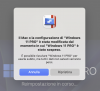
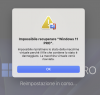
the main problem seems solved (Crash of the machine), but unfortunately randomly I get the attached messages (sorry if they are in Italian).
Something is still wrong, thanks.
(I have sent a report ID: 446003145)
Hello,Hi @Mikhail Ushakov,
I have a problem launching the Sonoma virtual machine in Parallels Desktop which is installed on a macOS Ventura (ARM) system.
It asks for an update and when I launch the update, it fails.
Yours sincerely
Sorry but I'm seeing a lot of problems accessing applications. It doesn't seem to be stable anymore... I will be forced to switch to another productHi @Mikhail Ushakov
Unfortunately, I am again having problems with my virtual machine (very similar to what I had some time ago).
WHEREAS, after the upgrade I recreated again my virtual machine directly on external SSD.
However I continue to have continuous crashes (impossible to recover Windows 11) and randomly applications that do not work. I sent a report [453638074], with attachments.
Thank you very much
Hello,Hi @Mikhail Ushakov
Unfortunately, I am again having problems with my virtual machine (very similar to what I had some time ago).
WHEREAS, after the upgrade I recreated again my virtual machine directly on external SSD.
However I continue to have continuous crashes (impossible to recover Windows 11) and randomly applications that do not work. I sent a report [453638074], with attachments.
Thank you very much