
Install the app
How to install the app on iOS
Follow along with the video below to see how to install our site as a web app on your home screen.
Note: This feature may not be available in some browsers.
You are using an out of date browser. It may not display this or other websites correctly.
You should upgrade or use an alternative browser.
You should upgrade or use an alternative browser.
Fedora Linux 41 VM updates (with kernel build) now fail since ~ 2024-12-18 (M4 Max)
MichaelS141
Junior Member
Parallels just released a new version 20.1.3 (55743) that addresses Kali linux (and other distribs?) not working on M4 hosts when configured for 2 CPUs. However this version (and the prior version) now fail when updating (kernel build) Fedora Linux 41. The issue appeared with the Fedora updates of around 18 December. Prior to this I experienced no issues running and updating Fedora with the VM using 2 CPUs.
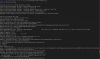
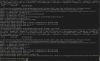
See the attached screenshots. I tried updating my existing Fedora 39 Live ISO which has been running fine for some time. I also installed the supplied Parallels Fedora 40 VM (which installs OK) then tried to update it, with the same result of "Kernel Panic: VFS: Unable to mount root fs on unknown-block(0,0)"
I'm running Parallels on Sequoia 15.2 on an M4 Max.


See the attached screenshots. I tried updating my existing Fedora 39 Live ISO which has been running fine for some time. I also installed the supplied Parallels Fedora 40 VM (which installs OK) then tried to update it, with the same result of "Kernel Panic: VFS: Unable to mount root fs on unknown-block(0,0)"
I'm running Parallels on Sequoia 15.2 on an M4 Max.
Had the same issue but this is actually a Fedora issue. The Fedora upgrade process did generate the initramfs file for the new kernel. These are the steps I took to fix it.
1. Booted Fedora into an older kernel.
2. Ran the following command:
This assuming you are on a Mac is an M series processor.
1. Booted Fedora into an older kernel.
2. Ran the following command:
sudo dracut /boot/initramfs-6.12.4-200.fc41.aarch64.img 6.12.4-200.fc41.aarch64
3. RebootThis assuming you are on a Mac is an M series processor.
MichaelS141
Junior Member
Thank you kindly for this info - I am on a learning curve with Fedora (so expect mistakes by me). I was partially successful; the following is what I did, and what happened (also for the benefit of others)...
(1) There is supposed to be a magic key that brings up the GRUB2 selection of the 3 kernels during Fedora boot. If there is such a key under Parallels hypervision, I was unable to find it. Instead I found a site by "AliciaBytes" which details how to display the GRUB2 kernel selection during boot (it's disabled by default). So before updating Fedora I ran:
sudo grub2-editenv - unset menu_auto_hide
sudo grub2-mkconfig -o /etc/grub2-efi.cfg
(2) After updating Fedora I booted into the next-older kernel and as per your info ran dracut, except that the Fedora update had produced a slightly newer kernel/initramfs (/boot/initramfs-6.12.5-200.fc41.aarch64.img). After this I was able to boot the new Fedora, but...
(3) For some reason the update triggered a reinstallation of Parallels Tools, which failed. The log file for Tools was vast but indicated that a number of modules were not present in the new system. I tried copying the Tools virtual CDROM to a folder on my desktop and running it (sudo) from the shell - same errors.
I'm going to try installing the Parallels-provided Fedora 40, set up kernel choice as above, then update and run dracut as above, to see if there is any difference.
(1) There is supposed to be a magic key that brings up the GRUB2 selection of the 3 kernels during Fedora boot. If there is such a key under Parallels hypervision, I was unable to find it. Instead I found a site by "AliciaBytes" which details how to display the GRUB2 kernel selection during boot (it's disabled by default). So before updating Fedora I ran:
sudo grub2-editenv - unset menu_auto_hide
sudo grub2-mkconfig -o /etc/grub2-efi.cfg
(2) After updating Fedora I booted into the next-older kernel and as per your info ran dracut, except that the Fedora update had produced a slightly newer kernel/initramfs (/boot/initramfs-6.12.5-200.fc41.aarch64.img). After this I was able to boot the new Fedora, but...
(3) For some reason the update triggered a reinstallation of Parallels Tools, which failed. The log file for Tools was vast but indicated that a number of modules were not present in the new system. I tried copying the Tools virtual CDROM to a folder on my desktop and running it (sudo) from the shell - same errors.
I'm going to try installing the Parallels-provided Fedora 40, set up kernel choice as above, then update and run dracut as above, to see if there is any difference.
MichaelS141
Junior Member
Update: The Parallels-supplied Fedora 40 VM doesn't support GRUB2 (or at least, the config changes I mentioned in my prior post have no effect on the VM boot process) - there seems to be no way to select a kernel.
Keshav Dosieah
Staff member
Hello,
We have reached out to you by email so that we can get further information to proceed with testing and investigation on our side.
Kind Regards
We have reached out to you by email so that we can get further information to proceed with testing and investigation on our side.
Kind Regards
MichaelS141
Junior Member
Thank you, that is much appreciated.Upgrading the kernel in my Fedora 41 VM also results in the same error. For now, the following works to update everything but the kernel:Code:sudo dnf upgrade -y --exclude="kernel-*"
To clarify I mean standard package updates, not updating to Fedora 41 from 40.Did a plain install on an M4 Max using the provided auto install for Fedora. As soon as it updates it also fails to boot with the same issue.
Workaround of not using Parallel Tools was successful. Exact steps: File -> New -> Download Fedora. Close/cancel the install of Parallel Tools. Update as normal.