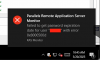
Failed to get password expiration date (0x8000500d)

PatrickD8

Member
Hi Parallels Team,
we have adjusted the permissions of various OUs in our Active Directory.
After this change we get the following entries in the RAS logs: "Failed to get password expiration date for user "some_user" with error 0x8000500d"
Is this error message questionable? Which user / group does RAS use to access AD user properties?
I ask this question to adjust the OU permissions accordingly.

Best regards
Patrick
 
Dear Patrick,
Please, use "View effective access" in OU Properties -> Security tab for "Authenticated users" where "Read", "List contents" & "Read all properties" + some specific Reads (custom permissions) are usually enabled by default.
If you removed "Authenticated users" you can add the above permissions to "Authenticated users" for a particular OU.
If you need more restrictions you can create an AD domain local group and add the PAs computer accounts to it and then delegate "Read all user information" permission to this group at OU level which will be applied for all descendant user objects. We never tested this but it should work.
 
Hi Alexey,
I have created a new group for the PAs and assigned read permissions for the OUs.
After a reboot of the Master PA, I did not receive the message anymore. Many thanks for your help !

Best regards
Patrick
 
Hello,
We have had this error since we started using Parallels RAS and it went ignored. I am working to resolve it now.
Our users are all nested in department-specific OUs contained in the OU "Domain Users"; ive checked to ensure that these permissions are set on that OU as well as the nested OU's within.
"Authenticated Users" have read permissions for all OUs that may apply to a user who's password expiry date would be queried, but the errors persist. I'm not sure where else to check, and I may be misunderstood. Could someone steer me in the right direction?

Also, in this post, they mention "PAs" and "Master PAs", not sure what that is. "Publishing Agents"?
upload_2025-5-20_12-9-44.png
 
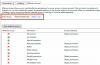
for example, this is the Information Technology OU that my user exists in, showing effective access for "Authenticated Users"
upload_2025-5-20_12-19-4.png
 
Back
Top