
Install the app
How to install the app on iOS
Follow along with the video below to see how to install our site as a web app on your home screen.
Note: This feature may not be available in some browsers.
You are using an out of date browser. It may not display this or other websites correctly.
You should upgrade or use an alternative browser.
You should upgrade or use an alternative browser.
Failed to add an existing virtual machine! No boot device is available!
- Thread starter CindyT
- Start date
Remember the Problem report ID and post it here.
I'm experiencing the same problem trying to migrate a physical XP machine to a VM. I tried everything.
My report ID is 12485512.
would like some help as well please
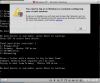
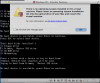
hi there. i am having a similar issue. i used parallels transporter to migrate from a boot camp win xp mac pro to an external hard drive. then moved the pvm to my macbook pro running parallels desktop 7. when i boot up using the transporter created pvm file, i tell parallels that i moved the VM, and it runs through an "upgrading windows xp process. then i can see the VM start to boot, but at the POST, it tells me "no boot device is available". i also get a parallels alert window that says "you need to log in to windows to complete configuring your virtual machine" (screenshot #1). please see attached screenshots.
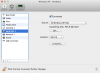
i believe my configurations (screenshot #3) are correct. i have submitted an problem report. my problem report ID number is 12525621.
hi there. i am having a similar issue. i used parallels transporter to migrate from a boot camp win xp mac pro to an external hard drive. then moved the pvm to my macbook pro running parallels desktop 7. when i boot up using the transporter created pvm file, i tell parallels that i moved the VM, and it runs through an "upgrading windows xp process. then i can see the VM start to boot, but at the POST, it tells me "no boot device is available". i also get a parallels alert window that says "you need to log in to windows to complete configuring your virtual machine" (screenshot #1). please see attached screenshots.
i believe my configurations (screenshot #3) are correct. i have submitted an problem report. my problem report ID number is 12525621.
Attachments
Last edited:
try to switch type of the VM hard drive from IDE to SCSI and back
Hello YanaYana,
Thanks for the suggestion, I tried that, and no luck.
Just to be clear that I didn't screw up anything prior, here is my setup and situation:
I have a Mac Pro that runs Win XP Pro via Boot Camp. I installed Parallels Transporter Agent (http://download.parallels.com/desktop/v7/update2.hotfix1/ParallelsTransporterAgent-15054.722853.exe), and backed up my Win XP partition to an external USB disk.
After the migration completed, I transfer the PVM file over to my Macbook Pro running Parallels Desktop 7. When I open the VM, I tell Parallels that I am moving the VM (not copying). After some upgrading process, I am told that there is no boot device available.
Am i doing something wrong here? Am i supposed to run Parallels Transporter in Win XP, or Mac OS?
You did everything fine. i suppose there was a failure during the migration so OS in wot recognised. I suggest you to run scannow or chkdsk on your Boot Camp partition and try to migrate all over again.
I ran chkdsk earlier, and am now doing the migration again. Will let you know how it goes.
You did everything fine. i suppose there was a failure during the migration so OS in wot recognised. I suggest you to run scannow or chkdsk on your Boot Camp partition and try to migrate all over again.
Also, if there i a failure during the migration, is there a log file somewhere that would document exactly what went wrong?
Yes - it should be on Boot Camp side - parallels.log. Problem Report can be helpful as well. To check out the Problem Report i sugget you to contact support - let them know all the steps you tried (try to reinstall transporter agent as well).
Yes, I have submitted a problem report. My problem report ID number is 12525621.
So I found a solution to my issue. Instead of using Parallels Transporter in Windows (Boot Camp), I booted into Mac OS X and installed Parallels Desktop 7. From there, I used the "Import Boot Camp" option. That created a PVM from my Boot Camp partition. Then I was able to move the PVM file to my new Mac, and migrate without issue (had to re-activate Win XP tho).