
Hi,
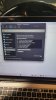
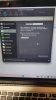
I have a 2015 Macbook pro with Big Sur 11.7.7 and am using Parallels and Windows 11.
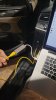
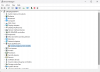
I'm trying to connect my automobile to my laptop with an ethernet cable, but my Mac doesn't have an ethernet port, so I bought an ethernet to USB 3.0 adapter and Windows won't recognize it. I turned on sharing of the network and usb and it's still not picking it up?
How do I configure Windows so it can notice the ethernet to usb adapter and connect to my car?
I would happily send some money for your help through Paypal or Venmo.
Thanks,
David
I have a 2015 Macbook pro with Big Sur 11.7.7 and am using Parallels and Windows 11.
I'm trying to connect my automobile to my laptop with an ethernet cable, but my Mac doesn't have an ethernet port, so I bought an ethernet to USB 3.0 adapter and Windows won't recognize it. I turned on sharing of the network and usb and it's still not picking it up?
How do I configure Windows so it can notice the ethernet to usb adapter and connect to my car?
I would happily send some money for your help through Paypal or Venmo.
Thanks,
David
Attachments
-
 423735654_380515921290258_3420065404105636439_n.jpg140.6 KB · Views: 8
 -
 423454784_2889694051167704_2379060451538013996_n.jpg154.1 KB · Views: 8
 -
 423619237_1047624793133332_5870409015734100459_n.jpg165.3 KB · Views: 8
 -
 423619689_1588265718622419_7296413661659180348_n.jpg178.9 KB · Views: 8
 -
 Screen Shot 2024-02-01 at 7.59.06 PM.png137.6 KB · Views: 8
