Error code 01/00000003 for locked account not appear on client.

MohamadF2

Bit poster
Hi everyone,

I recently successfully upgraded my Parallels RAS environment from v17 to v19.

After the upgrade, I noticed an issue with the RAS Client error messages. When a user attempts to log in with an incorrect password multiple times and their Active Directory account becomes locked, the RAS Client displays:

Error Code: 01/00000001

However, in previous versions, I expected to see:

Error Code: 01/00000003 (account locked)

Because of this, users cannot easily determine whether they entered the wrong password or if their account is actually locked.

Environment:
  • Parallels RAS v19
  • Active Directory authentication
  • User account lockout policy configured in AD
Has anyone experienced this behavior after upgrading to v19? Is this a known issue, configuration change, or bug? Any guidance or recommendations would be greatly appreciated.

Thank you in advance for your assistance.
 
Hello !

This looks worth checking at the authentication-result mapping level rather than at the AD lockout policy itself.
First, I would reproduce the issue and confirm that the account is actually locked in AD (LockedOut=True) and that Event ID 4740 is generated on the domain controller.
Then, once the account is already locked, completely reconnect the Parallels Client and attempt authentication again. At the same time, check the RAS Connection Broker logs under C:\ProgramData\Parallels\RASLogs.
Windows normally distinguishes a generic logon failure from an account lockout (STATUS_ACCOUNT_LOCKED_OUT / 0xC0000234). If the Broker correctly receives/logs the locked-account condition but the Client still reports 01/00000001, I would suspect a RAS error-code mapping/regression rather than an AD configuration issue.
I would also test the same RAS 19 farm using a current Parallels Client to determine whether the behaviour is client-side or broker-side.
Could you provide the exact RAS 19 build and Parallels Client version?

Thank you !

Thierry
 
Hi
Hello !

This looks worth checking at the authentication-result mapping level rather than at the AD lockout policy itself.
First, I would reproduce the issue and confirm that the account is actually locked in AD (LockedOut=True) and that Event ID 4740 is generated on the domain controller.
Then, once the account is already locked, completely reconnect the Parallels Client and attempt authentication again. At the same time, check the RAS Connection Broker logs under C:\ProgramData\Parallels\RASLogs.
Windows normally distinguishes a generic logon failure from an account lockout (STATUS_ACCOUNT_LOCKED_OUT / 0xC0000234). If the Broker correctly receives/logs the locked-account condition but the Client still reports 01/00000001, I would suspect a RAS error-code mapping/regression rather than an AD configuration issue.
I would also test the same RAS 19 farm using a current Parallels Client to determine whether the behaviour is client-side or broker-side.
Could you provide the exact RAS 19 build and Parallels Client version?

Thank you !

Thierry

Hi Thierry,

Thank you for your response.

RAS Client version 17.1.21868 & 19.4.25221. Same issue occured after I upgrade RAS server to v19 .

Error log on RAS Client :

Using RAS server v19

Attempting login using wrong password
[E 0E/0000000B/T6480/P9734/S0001] 21-09-26 21:38:01 - Could not sign in using Windows Authentication.The user name or password is incorrect.Please verify your credentials and try again. If the problem continues, contact your system administrator or technical support.
[E 0E/0000000B/T6480/P9734/S0001] 21-09-26 21:38:06 - Could not sign in using Windows Authentication.The user name or password is incorrect.Please verify your credentials and try again. If the problem continues, contact your system administrator or technical support.
[E 0E/0000000B/T6480/P9734/S0001] 21-09-26 21:38:10 - Could not sign in using Windows Authentication.The user name or password is incorrect.Please verify your credentials and try again. If the problem continues, contact your system administrator or technical support.
[E 0E/0000000B/T6480/P9734/S0001] 21-09-26 21:38:12 - Could not sign in using Windows Authentication.The user name or password is incorrect.Please verify your credentials and try again. If the problem continues, contact your system administrator or technical support.
[E 0E/0000000B/T6480/P9734/S0001] 21-09-26 21:38:14 - Could not sign in using Windows Authentication.The user name or password is incorrect.Please verify your credentials and try again. If the problem continues, contact your system administrator or technical support.
Error after user has locked on AD
[E 0E/0000000B/T6480/P9734/S0001] 21-09-26 21:38:16 - The connection could not be established because the specified remote computer could not be found.Verify that you have typed the correct computer address and try connecting to the remote computer again.

Using RAS server v17

[E 0E/0000000B/T5964/P4E88/S0005] 13-02-26 09:57:13 - Logon using Windows Authentication failed. Error: The user name or password is incorrect.
[E 0E/0000000B/T5964/P4E88/S0005] 13-02-26 09:57:34 - Logon using Windows Authentication failed. Error: The user name or password is incorrect.
[E 0E/0000000B/T3A74/P4E88/S0005] 13-02-26 09:57:40 - Logon using Windows Authentication failed. Error: The referenced account is currently locked out and may not be logged on to.
 
Hi,

Thanks for the additional details. This is very interesting, especially since you reproduced the same behaviour with both RAS Client 17.1.21868 and 19.4.25221 after upgrading the RAS Server to v19.

Your logs show a significant difference between the two server versions :

With RAS Server v17, once AD locks the account, the authentication result is correctly reported as:
The referenced account is currently locked out and may not be logged on to.
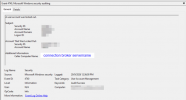
With RAS Server v19, the same condition eventually becomes:
The connection could not be established because the specified remote computer could not be found.

That message clearly does not represent the actual AD account state.

Since the behaviour follows the RAS Server version and occurs with both an older and a newer RAS Client, I would now suspect a regression in the authentication error handling/mapping on the RAS v19 server side rather than an AD lockout-policy issue or a RAS Client issue.

One final check would be very useful: could you look at the Connection Broker logs at 21:38:16, when the account was already locked?
If the Broker receives/logs the AD locked-account condition (STATUS_ACCOUNT_LOCKED_OUT, Windows status 0xC0000234) but the Client receives the “remote computer could not be found” message, that would strongly confirm that the AD authentication result is being incorrectly mapped or propagated by RAS v19.

At that point, I would open a case with Parallels Support including:

- RAS v17 working behaviour
- RAS v19 failing behaviour
- Client 17.1.21868 test
- Client 19.4.25221 test
- AD Event ID 4740
- Connection Broker logs covering the same timestamp

The comparison you provided already makes a pretty strong case for a v19 regression !

Thierry
 
Hi,

Thanks for the additional details. This is very interesting, especially since you reproduced the same behaviour with both RAS Client 17.1.21868 and 19.4.25221 after upgrading the RAS Server to v19.

Your logs show a significant difference between the two server versions :

With RAS Server v17, once AD locks the account, the authentication result is correctly reported as:
The referenced account is currently locked out and may not be logged on to.

With RAS Server v19, the same condition eventually becomes:
The connection could not be established because the specified remote computer could not be found.

That message clearly does not represent the actual AD account state.

Since the behaviour follows the RAS Server version and occurs with both an older and a newer RAS Client, I would now suspect a regression in the authentication error handling/mapping on the RAS v19 server side rather than an AD lockout-policy issue or a RAS Client issue.

One final check would be very useful: could you look at the Connection Broker logs at 21:38:16, when the account was already locked?
If the Broker receives/logs the AD locked-account condition (STATUS_ACCOUNT_LOCKED_OUT, Windows status 0xC0000234) but the Client receives the “remote computer could not be found” message, that would strongly confirm that the AD authentication result is being incorrectly mapped or propagated by RAS v19.

At that point, I would open a case with Parallels Support including:

- RAS v17 working behaviour
- RAS v19 failing behaviour
- Client 17.1.21868 test
- Client 19.4.25221 test
- AD Event ID 4740
- Connection Broker logs covering the same timestamp

The comparison you provided already makes a pretty strong case for a v19 regression !

Thierry

Hi Thierry

I have do a simulation by attemting keyin wrong user password until accound has locked. Im found that DC Event viewer was catured particular
I performed a simulation by repeatedly entering an incorrect password until the user account was locked out.

I found that the Domain Controller's Event Viewer successfully captured the account lockout event under Event ID 4740, showing the affected user account.

I also checked the Event Viewer on the Parallels RAS Connection Broker server, but there was no corresponding Event ID 4740 or any event indicating that the user's account had been locked.

If I am not mistaken, the account lockout event is only logged on the Domain Controller, and not on the Connection Broker server.

Please give me some advise.

Thank you.
 
Hi Mohamad,

Yes, you are correct. Event ID 4740 is expected on the Domain Controller that processed the account lockout. I did not mean that you should find Event ID 4740 in the Windows Event Viewer of the RAS Connection Broker.

What I would like to compare is the DC event with the Parallels RAS Connection Broker logs at exactly the same timestamp.

We already know from Event ID 4740 that Active Directory correctly detects and locks the account. The interesting question now is what the RAS Connection Broker receives and how it translates that authentication result before sending it back to the RAS Client.

On the Connection Broker, please check the Parallels RAS logs around the timestamp of the 4740 event, particularly the authentication attempt made after the account is already locked.

Depending on the RAS version/configuration, you can collect the relevant logs using the RAS Console logging/troubleshooting facilities or inspect the RAS log files on the Connection Broker.

The test I suggest is :

1. Unlock the test account ;
2. Start collecting/enable sufficient Connection Broker logging ;
3. Enter an incorrect password until AD locks the account ;
4. Confirm Event ID 4740 on the DC ;
5. Make one additional login attempt after the account is already locked ;
6. Note the exact timestamp ;
7. Check the Connection Broker RAS logs for that authentication attempt.

Step 5 is particularly important. We want to see how RAS handles an authentication request for an account that is already locked, rather than only the failed attempt that caused AD to lock it.

If possible, please share the relevant Connection Broker log lines around that timestamp (removing any sensitive information of course).

Your v17 test already shows that RAS was previously able to return the correct AD message:
The referenced account is currently locked out and may not be logged on to.

So the objective now is to determine where that information is lost or incorrectly translated in v19.

Thierry
 
Hi Thierry

  • Fixed: Users marked as locked in the Active Directory did not get a proper error message when signing in. :D
It's good to know that this issue has been fixed in RAS v20. However, I have only recently upgraded my environment from v17 to v19, so I am not in a position to upgrade again right away. From an IT administration perspective, frequent upgrades need to be carefully managed to maintain system stability and user confidence. As a result, I plan to stay on v19 for a period of time before evaluating a move to v20.

In the meantime, could you please advise if there is any workaround available for v19? Specifically, I would like the RAS Client to display a more meaningful message when a user's Active Directory account is locked, instead of the generic authentication error. Any recommendations would be greatly appreciated.
 
Back
Top