Error 0x800f0214 When Installing SDI Drivers on Windows 11 ARM in Parallels Desktop on M2 Mac

WhatsApp Image 2024-08-07 at 17.54.33.jpeg WhatsApp Image 2024-08-07 at 17.54.33.jpeg
Hey everyone,

I'm having trouble installing SDI drivers on my Windows 11 ARM setup, which is running on a MacBook with an M2 chip through Parallels Desktop. Every time I try, I get this error message:

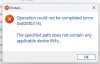
"Operation could not be completed (error 0x800f0214). The specified path does not contain any applicable device INFs."

I've double-checked the compatibility of the drivers, but I can't seem to get past this error. Has anyone experienced this before or have any advice on how to fix it?

Thanks in advance!

Windows11ARM #ParallelsDesktop #MacBookM2 #SDIDrivers #TechSupport #Error0x800f0214
 
I have the same issue...I believe SDI needs to update its drivers for ARM processors...I have emailed support at SDI on this issue
 
View attachment 22641 View attachment 22641
Hey everyone,

I'm having trouble installing SDI drivers on my Windows 11 ARM setup, which is running on a MacBook with an M2 chip through Parallels Desktop. Every time I try, I get this error message:

"Operation could not be completed (error 0x800f0214). The specified path does not contain any applicable device INFs."

I've double-checked the compatibility of the drivers, but I can't seem to get past this error. Has anyone experienced this before or have any advice on how to fix it?

Thanks in advance!

Windows11ARM #ParallelsDesktop #MacBookM2 #SDIDrivers #TechSupport #Error0x800f0214
bende aynı sorunu yaşıyorum ama 1 haftadır kimse cevap vermiyor çözen varsa lütfen yazabilir mi ?
 
Back
Top