
Install the app
How to install the app on iOS
Follow along with the video below to see how to install our site as a web app on your home screen.
Note: This feature may not be available in some browsers.
You are using an out of date browser. It may not display this or other websites correctly.
You should upgrade or use an alternative browser.
You should upgrade or use an alternative browser.
Entire Desktop is now black and white.
- Thread starter frank11
- Start date
Alfena@Parallels
Pro
Please refer https://www.tenforums.com/tutorials/86376-turn-off-color-filters-screen-windows-10-a.html and check if it helps
Thank you for your quick reply.
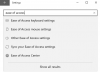
I can't see any 'Ease of Access':
View attachment 13434
I looked into all of those and I couldn't find "Colour and High Contrast"
I was in the same boat as you, you have to follow the instructions EXACTLY. Click the start button, click the cog wheel. Now you'll see ease of access option
Because windows needs 2 incompatible versions of the control panel apparently
Last edited:
nullpointers
Bit poster
I can't find an "Ease of Access", just an "Ease of Access Center" in Windows 10 Pro
nullpointers
Bit poster
I can't find the Colour filter :-(
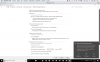
@nullpointers I couldn't find that either. Judging from your image, I think you searched for "Ease of Access Center" in the Start menu. Did you try searching "High Contrast Settings" instead?
This is my solution, thank-you Parallels 13 High Sierra windows 10 with Fall CreatorHello @OctavianT ,
Please disable the Colour filter in the virtual machine by following the below steps.
Click Start Menu and open Settings(cogwheel icon).
Select Ease of Access.
Select Colour and High Contrast.
Disable the "Colour filter." and check
Thanks
HiI'd like to add to the above. I recently came across the same problem and also realized it was the Ease of Access color filter in Win10. It appears to be triggering intermittently when pressing the Mac's Command + C combination where Command+C is mapped to Control+C in the Windows VM. It's happened to me several times over the past few days since the most recent Windows update. I am running Parallels 13.1.1 (43120) and I believe it must be passing the Command key through to the Windows VM even though the key combination is mapped to Control+C, but only sometimes because it is not consistent. I've temporarily solved the problem by adding the custom keyboard command to the Parallels keyboard menu so I can quickly turn off the filter when it happens. Hope the above info helps.
can you please show me how did you added the custom keyboard command to the Parallels keyboard?
thank you
S
Sathiya@Parallels
Hi, press 'Cmd+ Ctrl + C' keys together in the Windows virtual machine to enable/disable the color filter option.I can't find the Colour filter :-(
S
Sathiya@Parallels
Hi FrodoN, nice to know that you were able to sort out the issue. Please post again for any additional queries.I just had the same issue. The Windows setting helped though.
I found a way to disable this Colour filter feature completely by changing the registry key in WIndows. Since my VM is not my main "Work Area", I don't need this feature available. See the link below.
https://www.tenforums.com/tutorials/86376-turn-off-color-filters-screen-windows-10-a.html
https://www.tenforums.com/tutorials/86376-turn-off-color-filters-screen-windows-10-a.html
Thank you for sharing this post. We have an article in our knowledge base. With the latest Parallels Desktop 13.3.0 build this issue is resolved.I found a way to disable this Colour filter feature completely by changing the registry key in WIndows. Since my VM is not my main "Work Area", I don't need this feature available. See the link below.
https://www.tenforums.com/tutorials/86376-turn-off-color-filters-screen-windows-10-a.html
NicholasF1
Bit poster
Yes, this solution worked for me too.!Hello Sergey_Ermolaev, please click on Windows icon > Settings > Ease of access >turn off the color filter and check if this works. Thanks!
If you have any other questions, feel free to reach out.Yes, this solution worked for me too.!
I got the same error when I use Cmd+C in windows. I think Parallels automatically help me to translate that to Ctrl+C in Windows. So Windows got Cmd+Ctrl+C instruction from parallels which becomes Color filter in Settings. So what you need to do is do Cmd+Ctrl+C again to restore it to colorful desktop.