
Install the app
How to install the app on iOS
Follow along with the video below to see how to install our site as a web app on your home screen.
Note: This feature may not be available in some browsers.
You are using an out of date browser. It may not display this or other websites correctly.
You should upgrade or use an alternative browser.
You should upgrade or use an alternative browser.
Download video stopped working
- Thread starter KreelaM
- Start date

Mikhail Ushakov
Problem solver
Hello everyone,
We're happy to say the issue has been addressed. Please restart Parallels Toolbox on your computer and check how it works.
PS: many thanks to everyone for reporting the issue.
We're happy to say the issue has been addressed. Please restart Parallels Toolbox on your computer and check how it works.
PS: many thanks to everyone for reporting the issue.
Mikhail Ushakov
Problem solver
Hello,
would you reproduce the issue once again and collect a fresh technical report right after the issue is reproduced? Instructions on how to collect a technical report are available at https://kb.parallels.com/124107.
A link to the video you tried to download would also be of much help for us.
would you reproduce the issue once again and collect a fresh technical report right after the issue is reproduced? Instructions on how to collect a technical report are available at https://kb.parallels.com/124107.
A link to the video you tried to download would also be of much help for us.
Hello Parallels Team - obviously Youtube has changed something on their end that now prevents users of this software to capture video or audio from videos. Instead of having us users capture and submit a technical report - you, as a support person, would get the same issue if you tried to download a video from youtube. I have tried Vimeo videos and Rumble videos and have had no problems downloading those, so it is specifically Youtube. Can you acknowledge that the downloads from Youtube is currently broken until a patch can be made to circumvent whatever adjustments Youtube made a couple of days ago?
Hello everyone,
We're happy to say the issue has been addressed. Please restart Parallels Toolbox on your computer and check how it works.
PS: many thanks to everyone for reporting the issue.
confirmed it's working! thanks for the quick fix and update.
Mikhail Ushakov
Problem solver
Hi Robert,Hello Parallels Team - obviously Youtube has changed something on their end that now prevents users of this software to capture video or audio from videos. Instead of having us users capture and submit a technical report - you, as a support person, would get the same issue if you tried to download a video from youtube. I have tried Vimeo videos and Rumble videos and have had no problems downloading those, so it is specifically Youtube. Can you acknowledge that the downloads from Youtube is currently broken until a patch can be made to circumvent whatever adjustments Youtube made a couple of days ago?
We checked it on our side, and it worked for us. Would you send me the link which is not working, please?
Thank you for checking that - I followed the steps to submit technical data and I sent the link in that as well as posting the error message I've been getting. The report id is:Hi Robert,
We checked it on our side, and it worked for us. Would you send me the link which is not working, please?
ID 419353874
If you want me to send you the link in some other manner, please let me know.
My system is an older MAC and the chrome browser I'm using is Version 110.0.5481.100 - not sure if that matters, I tried the other browsers I have to open youtube to obtain the URL and none work. My test was with no VPN on, I also tried to VPN into a different country and pulled up a random Youtube video and the download attempt failed with the same error message.
I closed the Parallels Toolbox through the gear icon and "Quit Parallels Toolbox" and then re-launched it. I tried downloading either the video or audio from a Youtube video and both failed. From the gear icon, I tried to have it check for a new version and it did state this was the latest version. Should I shut down the software and reopen in some different way?

Aydaskhan Asochakov
Parallels Support
Greetings RobertH69,I closed the Parallels Toolbox through the gear icon and "Quit Parallels Toolbox" and then re-launched it. I tried downloading either the video or audio from a Youtube video and both failed. From the gear icon, I tried to have it check for a new version and it did state this was the latest version. Should I shut down the software and reopen in some different way?
Thank you for the report provided.
As we can see from the technical report provided. You are running Parallels Toolbox 5.1.0
This week we've released Parallels Toolbox 6.0.2
Kindly try to update your application to the latest build and check whether issue persists.
If so, collect additional report as per this article: https://kb.parallels.com/124107
Then copy 9-digit ID of the report and provide it in a reply message.
We will be waiting for your reply.
Greetings RobertH69,
Thank you for the report provided.
As we can see from the technical report provided. You are running Parallels Toolbox 5.1.0
This week we've released Parallels Toolbox 6.0.2
Kindly try to update your application to the latest build and check whether issue persists.
If so, collect additional report as per this article: https://kb.parallels.com/124107
Then copy 9-digit ID of the report and provide it in a reply message.
We will be waiting for your reply.
I might be out of luck - I looked for the minimum MAC OS in the documents for the Toolbox 6.0.2 but couldn't find anything. When I tried to install the new toolbox, I get a block symbol, indicating the system won't install. I have an old mac mini that can only upgrade to High Sierra 10.13.6, which is where I'm at - so I suspect the min macOS is higher than my 10.13.6. Fortunately, I did find out I can capture the audio via the "Record Area" tool and then convert it to an audio file - so at least that works. Eventually, I'll be forced to upgrade to a newer machine, but this one currently works (mostly) for what I need.
Aydaskhan Asochakov
Parallels Support
Greetings RobertH69,I might be out of luck - I looked for the minimum MAC OS in the documents for the Toolbox 6.0.2 but couldn't find anything. When I tried to install the new toolbox, I get a block symbol, indicating the system won't install. I have an old mac mini that can only upgrade to High Sierra 10.13.6, which is where I'm at - so I suspect the min macOS is higher than my 10.13.6. Fortunately, I did find out I can capture the audio via the "Record Area" tool and then convert it to an audio file - so at least that works. Eventually, I'll be forced to upgrade to a newer machine, but this one currently works (mostly) for what I need.
Could you please send us a screenshot of the block message and we will investigate it.
Looking forward to hearing from you soon.

Aydaskhan Asochakov
Parallels Support
Greetings RobertH69,It isn't an actual error message, just a NOT symbol when I attempt to install.
My OS is really old on a mac mini (mid 2011) - 10.13.6 - is this supposed to be able to install on my old system?
View attachment 20565
Kindly try to install previous version of Parallels Toolbox using the link below and check whether issue persists:
https://download.parallels.com/toolbox/v5/5.0.0-4023/ParallelsToolbox-5.0.0-4023.dmg
Please let us know about the results.
Looking forward to hearing from you soon.
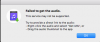
I'm having the same issue as Robert H69. I am suddenly unable to download youtube videos. I am using An old MACBook Pro / OSHigh Sierra 10.13.6
Are you planning on fixing this issue for people who have older MacOS? I recently renewed my subscription for your service and am disappointed this happened.
Are you planning on fixing this issue for people who have older MacOS? I recently renewed my subscription for your service and am disappointed this happened.
I also have the 10.13.6 OS High Sierra on an older Mac and my subscription is about the renew also. I'm glad I'm not the only one with an old Mac that is still working without other issues. I know support for older systems will force me to get a different system at some point. Hopefully a fix can be made available for us with these older systems.
Aydaskhan Asochakov
Parallels Support
Greetings everyone,
Letting you know that we are investigating this issue internally.
Once we have an update, we will let you know.
Thank you for your patience.
Stay tuned.
Letting you know that we are investigating this issue internally.
Once we have an update, we will let you know.
Thank you for your patience.
Stay tuned.