
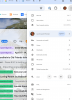
Display issues in the Windows partition on my Macbook Air running M3 -- When I open any app in windows the window itself opens too big but the font size of the menus is SO SMALL. I can't make the screen bigger or zoom it because its too big now, and the font on the menus are way too small. I can't read them. See a screenshot below. This problem doesn't exist on the MAC side only on the Windows side. The problem isn't only with Chrome but with all windows. I've tried the following steps:
Please let me know what I can do to fix this.
Another picture of my file folders:
- resetting the display settings on both Windows & Mac side.
- uninstalling and reinstalling various software packages
Please let me know what I can do to fix this.
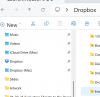
Another picture of my file folders: