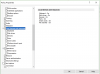
You can change registry keys for the client connections, but is there a way to enforce that a user cannot select local resources, and that they are disabled?
It seems that the Parallels client does not enforce settings if they were applied to the [HKCU or HKLM] \ Software \ Policies
All I was able to find out is that you can enforce an all-or-nothing configuration (OVERRIDEUSERSETTINGS & DISABLEADMINOPTIONS), but if a user needs to change their password, they won't be able to without administrative help. I just want to be able to enforce these options as an example:
RedirectCOMPorts = 0
RedirectDrives = 0
RedirectFileTrans = 0
RedirectPrinters = 0
RedirectSmartCards = 0
Thanks in advance!
It seems that the Parallels client does not enforce settings if they were applied to the [HKCU or HKLM] \ Software \ Policies
All I was able to find out is that you can enforce an all-or-nothing configuration (OVERRIDEUSERSETTINGS & DISABLEADMINOPTIONS), but if a user needs to change their password, they won't be able to without administrative help. I just want to be able to enforce these options as an example:
RedirectCOMPorts = 0
RedirectDrives = 0
RedirectFileTrans = 0
RedirectPrinters = 0
RedirectSmartCards = 0
Thanks in advance!