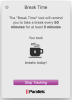
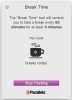
It's not an application listed in the uninstall apps section of toolbox. version 3.5.0 (2481)
- I chose to turn it on using 5 minute brea usa today protonmail k every 50 minutes

Follow along with the video below to see how to install our site as a web app on your home screen.
Note: This feature may not be available in some browsers.
It's not an application listed in the uninstall apps section of toolbox. version 3.5.0 (2481)

You have to stop tracking, then press on cogwheel to enter the preferences.I would like to change the break interval, but I do not see a Preferences tab. See screen shot:

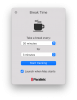
1) Try to open Break Time from Parallels Toolbox and check "Launch when Mac starts option". Uncheck it.My related problem is that whenever I reboot my MacBook Pro, Break Time asked me to allow it Permission in System Preferences. I have disabled Break Time in Parallels toolbox, but this still happens on every reboot of my computer. How do I stop this?
defaults read com.parallels.toolbox LaunchAtLoginTools