Install the app
How to install the app on iOS
Follow along with the video below to see how to install our site as a web app on your home screen.
Note: This feature may not be available in some browsers.
You are using an out of date browser. It may not display this or other websites correctly.
You should upgrade or use an alternative browser.
You should upgrade or use an alternative browser.
Diablo 2: Resurrected does not run on Mac M1 Parallel
- Thread starter BradleyF3
- Start date
I have tried now in open beta phase with a M1MacbookAir 8Gb running parallels 17 and i get the error „failed to initialize graphics device. make sure you fit the minimal hardware requirements" . Any idea on how to fix this? Is there a possibility it gets resolved by parallels? i only bought parallels to play d2r with friends as there is no mac support for the game... would be disappointing if it wouldn't work at all...
i only bought parallels to play d2r with friends as there is no mac support for the game... would be disappointing if it wouldn't work at all...
I'm in a similar boat - D2 is an all time favorite, so I was really hoping Parallels would let me play it. Still, it is a beta, and there may be hope. I'll keep my fingers crossed

(gotta say though, that parallels letting me keep playing Portal from time to time is a huge benefit)
there are quite a few people now owning M1 Macs, who would like to play d2r, they are also active in the blizzard forums and they will become more. maybe parallels can upgrade a function that pretends to have a specific graphics device as it is emulating the whole thing anyway... that would be cool... maybe blizzard will work on the hardware requirements as d2r seems to be quite graphics intensive and not really optimized for the actual graphics it provides and will allow integrated graphics in the near future.
It seems to be a problem related to D3D12 support, which neither Parallels or CrossOver can do.
https://www.reddit.com/r/macgaming/comments/p3t0tk/so_did_someone_managed_to_get_diablo_2/
https://www.reddit.com/r/macgaming/comments/p3t0tk/so_did_someone_managed_to_get_diablo_2/
It seems to be a problem related to D3D12 support, which neither Parallels or CrossOver can do.
https://www.reddit.com/r/macgaming/comments/p3t0tk/so_did_someone_managed_to_get_diablo_2/
a chance parallels will be able to support it soon?

Maria@Parallels
Problem solver
Hello, did ou test it with the Parallels Desktop 17.0.1.?I would love an idea of how to get it running. I haven't purchased the game yet but couldn't get the earlier demo to run.
Did you get any specific error message?
Maria@Parallels
Problem solver
Hello, could you provide us with the details please?I am having the same issue on a Mac Pro.
A technical report and screenshot of the issue will be very helpful
I'm on macOS BigSur 11.5.2, Parallels 16.5.1.Hello, could you provide us with the details please?
A technical report and screenshot of the issue will be very helpful
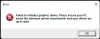
Getting the same error, screenshot attached. Also sent a technical report.
Attachments
sleepyhound
Bit poster
Hello, wanted to pitch in on this as I'm very hopeful that D2R can get working in Parallels on M1. Glad to see a Parallels Team member is in this thread as well. I'm on an M1 Mac Mini running macOS Big Sur 11.6. Just did a fresh install of Windows 11 Insider Preview this morning on Parallels Desktop 17 for Mac (Version 17.0.1 build 51482). Windows 11 Pro Insider Preview is build number 22454.1000.
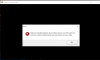
Only software I'm running in the VM other than the default Windows software is Battle.Net app and Diablo II: Resurrected installed through the app. After a fresh reboot of the VM I ran Battle.Net and launched Diablo II: Resurrected. I received the same error that others have reported after about 15 - 20 seconds. I've attached a screenshot of this error.
Immediately after this error I also submitted a technical report following the steps posted above by Maria@Parallels. I also opted to use detailed log data as per the steps in the link. Technical report has been submitted with this screenshot as well, technical report number 380037465.
Please let me know if there is anything else I can do to test / help! Looking forward to hopefully resolving this issue.
Only software I'm running in the VM other than the default Windows software is Battle.Net app and Diablo II: Resurrected installed through the app. After a fresh reboot of the VM I ran Battle.Net and launched Diablo II: Resurrected. I received the same error that others have reported after about 15 - 20 seconds. I've attached a screenshot of this error.
Immediately after this error I also submitted a technical report following the steps posted above by Maria@Parallels. I also opted to use detailed log data as per the steps in the link. Technical report has been submitted with this screenshot as well, technical report number 380037465.
Please let me know if there is anything else I can do to test / help! Looking forward to hopefully resolving this issue.