
Install the app
How to install the app on iOS
Follow along with the video below to see how to install our site as a web app on your home screen.
Note: This feature may not be available in some browsers.
You are using an out of date browser. It may not display this or other websites correctly.
You should upgrade or use an alternative browser.
You should upgrade or use an alternative browser.
Desktop Update RC2 compatible with ANY Intel Mac with ANY RAM config!
- Thread starter Ben @ Parallels
- Start date
[email protected] said:Can't get Build 1920 to work on 3Ghz/4GB Ram Mac Pro.
I am successfully running Build 1918 RC2, and it is working with only a few minor glitches.
When I try to install Build 1920, it says it installs successfully, but when I launch the program, I get stuck at the spinning colored beach ball.
I re-installed Build 1918 RC2 again with baited breath, and it worked.
Anyone else having this problem or does anyone have any suggestions?
Me as well... Parallelsd just bounces and crashes when starting up (no configuration selected yet!)
30" Cinema Display wont automatically switch to fullscreen mode with build 1922
With WinXP VM loaded,
I can manally switch to full screen mode by adjusting the properties to 2560x1600 resolution.
BUT when automatically switching, parallels always maintains the last resolution picked from non-full-screen mode.
Will there be fix in the future for this problem?
TIA
With WinXP VM loaded,
I can manally switch to full screen mode by adjusting the properties to 2560x1600 resolution.
BUT when automatically switching, parallels always maintains the last resolution picked from non-full-screen mode.
Will there be fix in the future for this problem?
TIA
scphillipp
Bit poster
New build workin for me but not USB
Bravo,
Gettin better. VM working, Internet working (no more messing with MTU settings - yeaa) USB printer still not working. At least it sees my epson printer now, even tells me the ink levels, but if I try to print anything I get windows blue screen of death with a bunch of words which flash by so fast I can not read them, and windows reboots. I tried using bonjour, everything seems to be working with it, but when I send a file it goes to bit heaven - windows thinks it printed but nothing ever goes to the printer. ???? Funny - I have a second printer (an hp laser) which has worked flawlessly from the start - go figure.
Steve in Pa.
Bravo,
Gettin better. VM working, Internet working (no more messing with MTU settings - yeaa) USB printer still not working. At least it sees my epson printer now, even tells me the ink levels, but if I try to print anything I get windows blue screen of death with a bunch of words which flash by so fast I can not read them, and windows reboots. I tried using bonjour, everything seems to be working with it, but when I send a file it goes to bit heaven - windows thinks it printed but nothing ever goes to the printer. ???? Funny - I have a second printer (an hp laser) which has worked flawlessly from the start - go figure.
Steve in Pa.
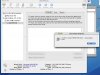
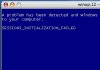
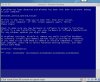
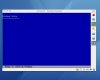
Up Graded to RC2 Still can not boot.
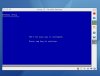
Here are the screen shots.
I am useing macbookpro .New winxp_sp2 disc. can not make an image of this disc made an image of winxp_sp2 upgrade it booted but then could not find previous version,stuck in full version in drive still would not read it.Get error messages and corupt disc messages.
KEN
Here are the screen shots.
I am useing macbookpro .New winxp_sp2 disc. can not make an image of this disc made an image of winxp_sp2 upgrade it booted but then could not find previous version,stuck in full version in drive still would not read it.Get error messages and corupt disc messages.
KEN
Attachments
Desktop Update RC2 and USB
I installed the update on my MacBook with no trouble and it seems to work well. I was able to sync my Suunto Cobra dive computer which is great, but I still cannot get my 3D Connexion Spaceball to work (I get the device in use, wait 5 seconds). Hopefully in the next build. Thanks.
I installed the update on my MacBook with no trouble and it seems to work well. I was able to sync my Suunto Cobra dive computer which is great, but I still cannot get my 3D Connexion Spaceball to work (I get the device in use, wait 5 seconds). Hopefully in the next build. Thanks.
Still have to do the sleep thing, also
I have the same problem except I have the 2.66GHz machine with 3GB of RAM.
Anyone else have to put the mac to sleep before you get VT-x??
TIA
froejoe said:Did...
Uninstall
Restart
Install
Restart
Still need to put Mac Pro to sleep before I get VT-x
Using stock 3 GHz machine.
I have the same problem except I have the 2.66GHz machine with 3GB of RAM.
Anyone else have to put the mac to sleep before you get VT-x??
TIA