This has been an intermittent problem for me since switching to Parallels for Apple Silicon.
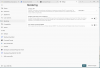
Sometimes after a Windows 11 update, the display for some apps is corrupt or black.
It usually affects Microsoft Edge and the Terminal App:

Removing Parallels tools fixes the display for these apps, reinstalling it corrupts the display.
Any suggestions?
Sometimes after a Windows 11 update, the display for some apps is corrupt or black.
It usually affects Microsoft Edge and the Terminal App:
Removing Parallels tools fixes the display for these apps, reinstalling it corrupts the display.
Any suggestions?