
Install the app
How to install the app on iOS
Follow along with the video below to see how to install our site as a web app on your home screen.
Note: This feature may not be available in some browsers.
You are using an out of date browser. It may not display this or other websites correctly.
You should upgrade or use an alternative browser.
You should upgrade or use an alternative browser.
Copy-Paste Suddenly doesn't Work
- Thread starter RCBOOKS
- Start date
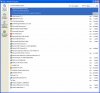
Aaron, the tools verifier test shows that Clipboard synchronization does not get initialized for some reason. Could you let us see a list of software installed on your VM? Please make a screenshot of "Add or Remove Programs" window and attach it to your next post.
Best regards,
Xenos
Best regards,
Xenos
press22day
Bit poster
I am running Parallels 3, build 5582 on Mac 10.4.11 and the clipboard synchronization does not work. This is very dissapointing. The reason I invested in this software was so I could quickly move between OSs. I have attempted to follow the thread to find a solution, but no where can I find a summation of exactly how to fix this. Throughout the thread the Parallels team instructs it's users to go to Terminal, uninstall, reinstall, install additional programs, etc. Most of these require me to get IT involved and will take a week to get accomplished and several days of down time. I would expect as a user that software will do what it promises without my involvement. When will you fix your software?
Hugh Watkins
Forum Maven
I am running Parallels 3, build 5582 on Mac 10.4.11 and the clipboard synchronization does not work. This is very dissapointing. The reason I invested in this software was so I could quickly move between OSs. I have attempted to follow the thread to find a solution, but no where can I find a summation of exactly how to fix this. Throughout the thread the Parallels team instructs it's users to go to Terminal, uninstall, reinstall, install additional programs, etc. Most of these require me to get IT involved and will take a week to get accomplished and several days of down time. I would expect as a user that software will do what it promises without my involvement. When will you fix your software?
get 5584 it is the bug fix for that
Hugh W
Last edited:
Press22day,
I sympathise with your frustrations. Some contributors to this stream clearly know a lot more IT than you or I! Mid-way down page 7 of this stream there is an entry from Xenos which includes the link you need to get 5584. Having installed it you will probably need to put in your activation key(s) again. Good luck!
I sympathise with your frustrations. Some contributors to this stream clearly know a lot more IT than you or I! Mid-way down page 7 of this stream there is an entry from Xenos which includes the link you need to get 5584. Having installed it you will probably need to put in your activation key(s) again. Good luck!
Hugh Watkins
Forum Maven
Press22day,
I sympathise with your frustrations. Some contributors to this stream clearly know a lot more IT than you or I! Mid-way down page 7 of this stream there is an entry from Xenos which includes the link you need to get 5584. Having installed it you will probably need to put in your activation key(s) again. Good luck!
not if upgrading from 5582
use PD >> Menu >> Help >> check for upgrades
Parallels has givern me all upgrades free except from 2.5 to 3.0 which I got half price as an early adopter
BTW
reinstall Parallels Tools at once after any upgrade !!!
Hugh W
Hello all,
Aaron, me and the engineers who were investigating the issue are so happy to know the cause is found and you can use Clipboard Sync now. Thanks for the feedback.
Press22day, we usually use Terminal commands to get additional information when investigating the issues reported by Parallels users or when uninstalling Parallels if normal uninstall procedure does not help for some unexpected reasons. Software development is not the process that can be completed once and for all, it always goes on. We are working to make the product better. I hope that the build 5584 will solve your problem. Make sure that you have installed the latest MacFUSE version as well.
Nmilmine and Hugh, thank you for your posts.
Best regards,
Xenos
Aaron, me and the engineers who were investigating the issue are so happy to know the cause is found and you can use Clipboard Sync now. Thanks for the feedback.
Press22day, we usually use Terminal commands to get additional information when investigating the issues reported by Parallels users or when uninstalling Parallels if normal uninstall procedure does not help for some unexpected reasons. Software development is not the process that can be completed once and for all, it always goes on. We are working to make the product better. I hope that the build 5584 will solve your problem. Make sure that you have installed the latest MacFUSE version as well.
Nmilmine and Hugh, thank you for your posts.
Best regards,
Xenos
press22day
Bit poster
Thanks for the information. I appreciate the fact that you are responsive to these bugs.
My point is that when I check for updates, I am told that Parallels is up to date. I needed to search around your website to find a forum where I had to search around for answers and then search through a thread to research what the problem is and how to fix it, now I need to install two separate updates and reenter the registration key.
There should be an easier way to get full use of what is otherwise an incredible program. It's not entirely about the hassle or lack of knowledge either. Company policy demands that I must solicit the help of the already overworked and anti-Apple IT department to install something that should be an automatic update.
My point is that when I check for updates, I am told that Parallels is up to date. I needed to search around your website to find a forum where I had to search around for answers and then search through a thread to research what the problem is and how to fix it, now I need to install two separate updates and reenter the registration key.
There should be an easier way to get full use of what is otherwise an incredible program. It's not entirely about the hassle or lack of knowledge either. Company policy demands that I must solicit the help of the already overworked and anti-Apple IT department to install something that should be an automatic update.
Last edited:
Xenos,
I regret that my 'cautiously optimistic' posting was premature. Cut-n-paste worked briefly and then I have annoyingly had the 'clipboard is busy' messages and an inability to cut-n-paste either from Host to VM or from VM to VM. The first operation works OK after starting up Parallels, but thereafter 'the clipboard is busy'. I can still drag and drop within the VM but not from Host to VM. Ahhhhh! Please - I need some more helpful guidance from you.
I regret that my 'cautiously optimistic' posting was premature. Cut-n-paste worked briefly and then I have annoyingly had the 'clipboard is busy' messages and an inability to cut-n-paste either from Host to VM or from VM to VM. The first operation works OK after starting up Parallels, but thereafter 'the clipboard is busy'. I can still drag and drop within the VM but not from Host to VM. Ahhhhh! Please - I need some more helpful guidance from you.