DO those keys work? Could I get one for win11? My current (legacy) win10 VM won't upgrade to Win11. I am able to install a fresh copy of downloaded win11, but then I can't Authenticate it, for some reason...Sounds like it might be simpler to buy a $3 eBay Win10 key and just start from scratch. Have you guys read the 500 page manifesto required to simply copy and paste your VM to another drive or work on it on another Mac due to the secure boot TPM in Win11?
Paul

Install the app
How to install the app on iOS
Follow along with the video below to see how to install our site as a web app on your home screen.
Note: This feature may not be available in some browsers.
You are using an out of date browser. It may not display this or other websites correctly.
You should upgrade or use an alternative browser.
You should upgrade or use an alternative browser.
Convert BIOS to UEFI VM
- Thread starter CharlieS4
- Start date


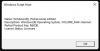
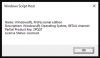
I just got one for $2.18 from NRK Game ("Wndows 10 Pro standard"), activated my Windows 11 64 bit fresh install. It came back as a Volume MAK channel key though. My Windows 10 Pro 64 bit key I bought for $5 a few years ago on eBay, and it shows as a Retail key.
View attachment 18595 View attachment 18594 View attachment 18593
Do you have a link for the webpage where you bought it? I'm not familiar with NRK Game. Thanks!
Michael S11
Bit poster
Hi, for any user not seeing Windows 11 offered in the Windows 10 Update process, you can go to https://www.microsoft.com/en-au/software-download/windows11 and download the installation assistant. This will upgrade your Windows 10 installation. No need to get ISOs or USB devices.DO those keys work? Could I get one for win11? My current (legacy) win10 VM won't upgrade to Win11. I am able to install a fresh copy of downloaded win11, but then I can't Authenticate it, for some reason...
[email protected]
Junior Member
Thank you so much for posting this! I had issues converting to GPT! It simply wouldn't let me. So I opted to purchase AOMEI Partition Assistant. Boom. done. Then the automatic update wouldn't work in my Windows 10. So I went to the microsoft website and did the upgrade from there. It took a very long time! But, now running Windows 11 Pro successfully after upgrading my Windows 10 Pro virtual machine. You know, one would think that Parallels would present their customers with truly all the options instead of saying "if you are running legacy mbr then you are SOL". Anyway, thank you so much for posting this!So for me, it was:
- convert the machine to GPT using https://www.windowscentral.com/how-convert-mbr-disk-gpt-move-bios-uefi-windows-10
- The VM will then fail to boot up, so you have to change the config.pvs file for the VM to set EFI Enabled to 1. Save the file and close it.
- Once you've done that, you'll be able to add a TPM to the machine in the Parallels GUI