
Install the app
How to install the app on iOS
Follow along with the video below to see how to install our site as a web app on your home screen.
Note: This feature may not be available in some browsers.
You are using an out of date browser. It may not display this or other websites correctly.
You should upgrade or use an alternative browser.
You should upgrade or use an alternative browser.
Complete uninstallation of Parallels Desktop 10
- Thread starter SteveS1
- Start date

Maria@Parallels
Problem solver
Hello, did you remove all Parallels Desktop components? Could you share a screenshot of the issue please?Six months ago I tried Parallels. The KB said I could uninstall it by dragging the app to the trash. But "Reveal in Windows" is still in a Finder window menu. When I choose it Parallels appears to launch even though it's not on my boot drive.
Parallels v16 and Mojave
Here is what I did to get mine going. Should apply to trial and licensed versions.
If you have a licensed version then you will need to reactivate your freshly installed Parallels after reinstallation.
Manually tossed the application from Applications folder.
Went to <Your Hard Drive>/Library and removed Parallels folder.
Went to <Your Hard Drive>/Library/Preferences and removed Parallels folder.
Went to <Your Home Folder>/Library/Preferences and removed all com.parallels files. (You may need option key and click on Go menu to get to hidden users Library folder)
Reinstalled Parallels from installer which forced a complete reinstallation from scratch and then reactivated it and I then ignored the creation of a new virtual machine.
Double-clicked on each of the virtual machines I have which added them back to the control centre. Had to reinstall parallels tools on one of my Windows 10 installs. Your mileage may vary.
Hope that helps.
Here is what I did to get mine going. Should apply to trial and licensed versions.
If you have a licensed version then you will need to reactivate your freshly installed Parallels after reinstallation.
Manually tossed the application from Applications folder.
Went to <Your Hard Drive>/Library and removed Parallels folder.
Went to <Your Hard Drive>/Library/Preferences and removed Parallels folder.
Went to <Your Home Folder>/Library/Preferences and removed all com.parallels files. (You may need option key and click on Go menu to get to hidden users Library folder)
Reinstalled Parallels from installer which forced a complete reinstallation from scratch and then reactivated it and I then ignored the creation of a new virtual machine.
Double-clicked on each of the virtual machines I have which added them back to the control centre. Had to reinstall parallels tools on one of my Windows 10 installs. Your mileage may vary.
Hope that helps.
IndependentN
Bit poster
can i get a driver for windows 10 Bluetooth installed
Last edited by a moderator:
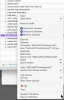

Plus... I seem to remember that the linkages to the menus are cached, so simply deleting things may not be an end-all solution. There's a procedure to rebuild the Launch Services Database (type without the "# " at the beginning of each line below):
# /System/Library/Frameworks/CoreServices.framework/Frameworks/LaunchServices.framework/Support/lsregister -kill -r -domain local -domain system -domain user
# killall Finder
# /System/Library/Frameworks/CoreServices.framework/Frameworks/LaunchServices.framework/Support/lsregister -kill -r -domain local -domain system -domain user
# killall Finder
Nothing is in that folder.Did you delete: /Library/Contextual Menu Items/ParallelsCM.plugin?
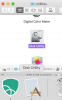
I tried what you said. Rebooting isn't fixing it. Removing "Calculator" from the dock and putting it back isn't fixing it, although "Disk Utility" is now fine.
I googled this. The web is suggesting different variations of "lsregister", "rm ~/Library/Preferences/com.apple.dock.plist", and/or deleting caches. But I'm afraid to screw things up further without your giving the go-ahead.
I googled this. The web is suggesting different variations of "lsregister", "rm ~/Library/Preferences/com.apple.dock.plist", and/or deleting caches. But I'm afraid to screw things up further without your giving the go-ahead.
Deleting that plist is going to remove all your dock settings and likely make a mess.
If you remove the calculator icon from the dock, then run the calculator from Applications, it should put a new graphic in there on the right side of the dock without using the cached one. Then, while it's running, you should be able to right-click on the dock icon and set "Keep in dock", then drag it to wherever you want it. Not sure why it would be any different from icon Finder at that point.
If you remove the calculator icon from the dock, then run the calculator from Applications, it should put a new graphic in there on the right side of the dock without using the cached one. Then, while it's running, you should be able to right-click on the dock icon and set "Keep in dock", then drag it to wherever you want it. Not sure why it would be any different from icon Finder at that point.
One possible clue: Right now it's only seeming to happen with Calculator, so I booted off a backup, renamed Calculator to "calculator bad," and restored a known good copy. Then I booted off my main drive and Got Info for the two files. The old, "bad" one was fine. The restored one, actually named "Calculator," had a generic icon.