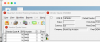
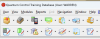
When I go into cohereance mode on a windows 11 VM, the windows are super sized. The first screen shot is normal, after activating cohereance mode the screen looks like the second capture. Making cohereance mode useless on the new monitor I am use.
Running on a Mac Mini M1 Sonoma 14.5, Parallels 19.4.1 (54985).
It worked fine on my other monitor (3440x1440).
Any ideas on if there are any tweaks that can be done to get cohereance back to normal?
Running on a Mac Mini M1 Sonoma 14.5, Parallels 19.4.1 (54985).
It worked fine on my other monitor (3440x1440).
Any ideas on if there are any tweaks that can be done to get cohereance back to normal?