Chrome OS - Old Version holding me back

LeeR3

Bit poster
I appreciate Chrome OS and would love to have a more current version. I have several projects and having Chrome OS in a VM is the most efficient way of doing so. However, there doesn't appear to be a way to update.

What are the instructions for obtaining and installing the latest Chrome OS?
 
Hello LeeR3,
To check for available updates in Chrome OS:
  1. Click the status area, where your account picture appears.
  2. Click Settings > About Chrome OS.
  3. In the "About" window that appears, click Check for and apply updates.
Once you've installed any available updates, you can check the "About" window to confirm that your Chromebook is up to date.
 
I appreciate Chrome OS and would love to have a more current version. I have several projects and having Chrome OS in a VM is the most efficient way of doing so. However, there doesn't appear to be a way to update.

What are the instructions for obtaining and installing the latest Chrome OS?
Hi, I've tested the steps above and checked that I have the latest Chrome version: 47.0.2526.73 m
Could you please provide us with the step-by-steps instructions in order to completely understand what happened and provide you with the probable resolution.
Thanks in advance.
 
Actually, I would like to update Chrome OS as well, but when I check for updates, it always says I am up to date even though I'm on version 32 (the default that gets installed when you create a Chrome OS virtual machine following the Parallels Desktop interface for creating one). By the way, we are talking about the Chrome OS virtual machine and not the Chrome browser on a different guest OS. Thanks in advance for any assistance you can provide.
 
Not only is this response worded poorly, it adds no value whatsoever to this thread. Zero. Zippo. Zilch. You have a Chrome OS appliance you provide through your main new virtual machine interface. You have not updated it forever and offer no insight into a future road map for updates. This is not complicated. Will it be updated or not? Sadly, I have seen many official responses in these forums that are like this. They provide no helpful information and are borderline antagonistic. You guys really need to improve your Customer Support. Right now it is awful
 
We can forward your request to add up the builds of Chrome OS to our developers. Also, thank you for sharing your honest feedback so that we can improve our service and support.
 
Hi, I just re-tried creating a Chrome OS VM from scratch since I'm also stuck on:
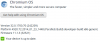
Version 32.0.1700.70 (242209) - as this snipped image shows:

Screen Shot 2016-03-17 at 11.46.43.png

Since Chromium versions have passed the 50-mark now, this is very out of date. Can you folks please update the build that you have on your appliances server, since even today this generates the same eventual VM base and you cannot update. Apparently this was built back on 23 January 2014!

Thanks,
--Rhodri
 
Agreed. It's now late April 2017 and there is still no newer version. There was zero notice about how I'd be using old/unsupported platforms when I bought Parallels. It was all hyped as a product where I could use a list of OS's like I was on a native devices. At least give me the install files for Windows 95 then, or am I limited to 3.1...
 
Agreed. It's now late April 2017 and there is still no newer version. There was zero notice about how I'd be using old/unsupported platforms when I bought Parallels. It was all hyped as a product where I could use a list of OS's like I was on a native devices. At least give me the install files for Windows 95 then, or am I limited to 3.1...
You can refer this article for the list of supported Operating Systems. We don't offer installation files for any guest Operating Systems.
 
I can't tell if I was just trolled by this company or sarcasm wasn't realized. That link says Parallels supports the two versions of Windows I was joking about, and it also says Chrome OS with no mention about what version.
 
I can't tell if I was just trolled by this company or sarcasm wasn't realized. That link says Parallels supports the two versions of Windows I was joking about, and it also says Chrome OS with no mention about what version.
We suggest you to refer this link to know more about supported guest Operating Systems. The version of Chromium based virtual machine provided in Parallels Desktop is version 32.0.1700.70.
 
I would like to upgrade Firefox OS as well, but when I examine for up-dates, it always says I am up up to now even though I'm on edition 32. By the way, we are referring to the Firefox OS exclusive device and not the Firefox web browser on a different visitor OS. Thanks in enhance for any support you can offer.
 
Back
Top