
I have a significant issue with trying to open my Windows 10 VM. When I click on the Parallels desktop icon in the dock, I get the usual large window asking me to click to open windows 10, but then all that happens is that I get the "starting' window with the big spinning device, and windows 10 never opens. I don't mean the mac coloured beach ball, I mean the large spinning cog device that comes up in Parallels desktop window (thumbnail).
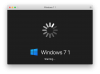
Then, sometimes I can shut down Parallels desktop but when I try to start it again I get another start window, but nothing happens (thumbnail). Then, I can't quit Parallels desktop without force quitting it. That makes my whole MacBook Pro unstable, including the Mac OS - the whole computer slows down badly and never properly shuts down (I just get the small apple spinning cog - not the beach ball, the small spinning cog device). I then have to hard shut down the Mac. This also seems to cause instability in the Mac OS when I boot up again.
This can only be remedied by booting the MBP in safe mode, and/or running first aid in disk utility, which seems to restore everything OK, until I try to run Parallels again - and the whole sorry saga is repeated.
Windows is unfortunately an essential business tool for me because I need to run Dragon. But my Windows 10/Parallels desktop installation is currently unuseable. Any suggestions/help would be greatly appreciated.
Running OS 10.14.5. Parallels desktop 14.1.3. All Windows updates are installed.
Tom

Then, sometimes I can shut down Parallels desktop but when I try to start it again I get another start window, but nothing happens (thumbnail). Then, I can't quit Parallels desktop without force quitting it. That makes my whole MacBook Pro unstable, including the Mac OS - the whole computer slows down badly and never properly shuts down (I just get the small apple spinning cog - not the beach ball, the small spinning cog device). I then have to hard shut down the Mac. This also seems to cause instability in the Mac OS when I boot up again.
This can only be remedied by booting the MBP in safe mode, and/or running first aid in disk utility, which seems to restore everything OK, until I try to run Parallels again - and the whole sorry saga is repeated.
Windows is unfortunately an essential business tool for me because I need to run Dragon. But my Windows 10/Parallels desktop installation is currently unuseable. Any suggestions/help would be greatly appreciated.
Running OS 10.14.5. Parallels desktop 14.1.3. All Windows updates are installed.
Tom