
Install the app
How to install the app on iOS
Follow along with the video below to see how to install our site as a web app on your home screen.
Note: This feature may not be available in some browsers.
You are using an out of date browser. It may not display this or other websites correctly.
You should upgrade or use an alternative browser.
You should upgrade or use an alternative browser.
Can't open Windows 10 - stuck on spinning device
- Thread starter tblack
- Start date

Maria@Parallels
Problem solver
When I tried these steps, I did not get any "Operation progress". when I pressed enter, cursor is on the next line and nothing is happening. here is bow my screen is now:Please try the following and let us know how it works:
- Paste the command below into Terminal as is (do not hit Enter yet):
prl_disk_tool check --hdd
- Find your virtual machine in Finder. Right-click on the .pvm file of your virtual machine and choose Show Package Contents
- Drag your WindowsXXX.hdd file into Terminal and drop it right next to prl_disk_tool check --hdd.
So as result you will see something like this in Terminal window:
prl_disk_tool check --hdd /Users/appleseed/Documents/Parallels/Windows\ 7.pvm/Windows\ 7-0.hdd
Please note there should be a space between --hdd and /Users/....- Press return and wait till this operation completes.
Operation progress 100%

I'm sorry, you want me to send you a bunch of information, yet you have an update? Why don't you post the update here instead of wasting everyone's time?
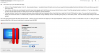
When I tried these steps, I did not get any "Operation progress". when I pressed enter, cursor is on the next line and nothing is happening. here is bow my screen is now:
View attachment 15341
Exactly what mine did. And then it overheated my Macbook Pro 2018 and everything reset.
@PardhaS Third time this has happened to me. Planning on cancelling my subscription, that I've had for 3 years, if this isn't resolved shortly.
Well ... I am not too far behind. I have 4 Macs running with Parallel. Up until early 2017 things were great and things started going down. This year ... it is pretty much a nose dive. Every time I report an issue, they do nothing to find the root cause. I end up restoring a time machine backup.
MargaretD1
Junior Member
Another person with the same issue. Business version of Parallels 13.3.2, running windows 10 on High Sierra. Problem for me is, I have 4 LABS with many machines with the same issue. Students depend on these machines to do their course work, instructors depend on them to be able to present their course!!! This is UNACCEPTABLE! I spent half a day in one lab yesterday trying to remedy this situation. I'm wasting a lot of time. Sometimes running the sudo chown -R root:wheel /Library/Preferences/Parallels seems to help, but not always. I have a feeling this has something to do with Windows updates. Has anyone tried turning the Win upd service off totally to see if this helps?
MargaretD1
Junior Member
Thanks, HarryS5, it's not too often I get a good chuckle on a technical forum  .
.
.I'm sorry I can't be more helpful, honestly.Thanks, HarryS5, it's not too often I get a good chuckle on a technical forum
I read somewhere you might be able to install a new windows image and then take the .hdd file and attach it somehow so you can at least get data from it, but I haven't tried this yet since I was able to restore a backup of my data.
MargaretD1
Junior Member
Unfortunately, with close to 200 machines and busy lab schedules, that's not an option for me.I'm sorry I can't be more helpful, honestly.
I read somewhere you might be able to install a new windows image and then take the .hdd file and attach it somehow so you can at least get data from it, but I haven't tried this yet since I was able to restore a backup of my data.
I can't believe this. It just happened again with a new install. Laptop became EXTREMELY hot, and then my battery was drained (even though it was plugged in the entire time) with parallels running. Laptop slowed to a halt. I force closed parallells and everything is fine again and my laptop is accepting a charge.
MargaretD1
Junior Member

r3volution11
Junior Member
I just got hit with this problem earlier this afternoon. Out of nowhere my Windows 10 VM froze up. Then my Mac started to freeze up, eventually requiring a force restart. After checking the disk, resetting pram, I loaded up Parallels again. I got the "Checking disks.." message and now a Mac that is getting pushed to its limits, with intermittent freezing and Parallels showing no indication of any progress after 30+ minutes.
This is not cool.
This is not cool.
r3volution11
Junior Member
On a side note, don't you think it was to show an indicator of some sort? Seeing a spinner for any length of period of time will drive anyone mad.
Maria@Parallels
Problem solver
Sorry for the inconvenience, but we need a bit more info for the issue investigation and then we've request it from you.I'm sorry, you want me to send you a bunch of information, yet you have an update? Why don't you post the update here instead of wasting everyone's time?
This is an update which we received from the Engineering team.
Maria@Parallels
Problem solver
Could you provide us please with the following info:I just got hit with this problem earlier this afternoon. Out of nowhere my Windows 10 VM froze up. Then my Mac started to freeze up, eventually requiring a force restart. After checking the disk, resetting pram, I loaded up Parallels again. I got the "Checking disks.." message and now a Mac that is getting pushed to its limits, with intermittent freezing and Parallels showing no indication of any progress after 30+ minutes.
This is not cool.
Guys, we recieved updates from the Parallels Engineering team.
Please generate the tech report with detailed logging. You can find how to do it here.
Also please collect a spin dump during the Parallels Desktop freezing.