Can't install Parallels Tools on Windows 10 TP

BeebarbX

Junior Member
For some inexplicable reason, Parallels Tools installation on Windows 10 TP just stops at about 20-25% and says to restart the VM and try again. With 17 failed attempts to install, using both automatic and known manual methods, I am seeking a method to force the installation of the tools in order to make the VM properly usable.

Additionally, one of the errors given out is basically "The Plug and Play service is unavailable", despite the fact Services.msc reports that it is running.
 
Hi BeebarbX,
Please follow the steps suggested below and provide us the information for further investigation.

1. Click start
2. Type "run"
3. Type %temp% click OK.
4. Locate PrlToolsPackages Double click to open it.
5. Right click on "set up" - click run as administrator.
6. Click next to install parallels Tools continue with the installation and check there is any error message. provide us a screenshot of the error,
 
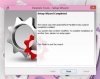
I did as you asked, and the progress bar proceeded seemingly well, but then stopped for no reason. The following screen appeared:
Untitled.jpg
Before you ask, I did not abort the installation myself. I have no idea what is happening, and I don't know where to find any log files that might shed light on this.

The following appeared after clicking "Finish":
Untitled2.jpg

This makes a total of 18 failed install attempts.
 
I have done as you have asked and created the support request. I hope this issue gets resolved soon, as a lack of the Parallels Tools is making it difficult to test the Windows 10 TP properly.
 
I'm having the same problem. I have a plain Windows 10 TP install on Yosemite, and it seems to be impossible to install Parallels Tools.
 
I'm having same the problem, Parallel 10 on Yosemite. I can install windows 10 but just can't seem to get the tools to install HELP plz
 
I have the same problem with Windows 10 Tech Preview 9879.
Using the latest version of Parallels, v10.1.1 (28614)
I am using the latest version of Yosemite.
Chapy
 
I have the same problem with 32 bit Windows 10 in Parallels 10 in Yosemite. Everything above is tried, disk util with resetting rights and chkdsk in Windows is also tried.
 
I have the same problem with 32 bit Windows 10 in Parallels 10 in Yosemite. Everything above is tried, disk util with resetting rights and chkdsk in Windows is also tried.

This is a known bug, I reported it, currently fighting with the support engineers for them to fix it, they sent me a new version of PTools that installs successfully on Windows 10TP 32bit but because there's a version mismatch when the VM restarts, Parallels thinks the Tools are out-of-date and tries to install the version that comes with it and fails, leaving the VM without Tools.

But I'm sure the fix will come in the next release. Unfortunately because of the said problem, I can't test them myself.
 
Oddly enough, Parallels Tools establishment on Windows 10 TP simply stops at around 20-25% and says to restart the VM and attempt once more. With 17 fizzled endeavors to introduce, utilizing both programmed and known manual strategies, I am looking for a system to constrain the establishment of the apparatuses keeping in mind the end goal to make the VM appropriately usable.

Moreover, one of the lapses given out is fundamentally "The Plug and Play administration is occupied", regardless of the actuality Services.msc reports that it is running.
 
I found the answer in another thread. If you shutdown the Windows 10 VM, go to Virtual Machine>Configure>General, under the Name box, select the type as Windows 8.1 and Parallel Tools will install OK!
 
Maybe I wasn't clear, but being 32 or 64 bit makes a difference. As of right now, PT do not install on Windows 10TP 32 bits.
However, on Windows 10TP 64 bits that problem doesn't exist, and a workaround like changing the OS Type (NOT THE NAME) seems to get around it.
 
I found the answer in another thread. If you shutdown the Windows 10 VM, go to Virtual Machine>Configure>General, under the Name box, select the type as Windows 8.1 and Parallel Tools will install OK!
While I don't doubt changing the type to 8.1 worked at some point, it does not work now, in the year 2015, when this is still broken.
 
Back
Top