
Install the app
How to install the app on iOS
Follow along with the video below to see how to install our site as a web app on your home screen.
Note: This feature may not be available in some browsers.
You are using an out of date browser. It may not display this or other websites correctly.
You should upgrade or use an alternative browser.
You should upgrade or use an alternative browser.
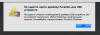
https://kb.parallels.com/113749
This instruction does not work because when i try to run "sudo chown root:admin /" terminal answer "chown: /: Operation not permitted"..
This instruction does not work because when i try to run "sudo chown root:admin /" terminal answer "chown: /: Operation not permitted"..
Arun@Parallels
Parallels Support
I am using 11.2.1, I am trying full uninstall 11.2.1 and install 13.3.1 but this doesn't help.Hi @Alex Al , please let us know the version of Parallels Desktop you are using.
P.s. I am using 11.2.1 because on my iMac with retina screen this version of parallels normally resize graphics, on newer version it smooth and all looks really not good.
Last edited:
Arun@Parallels
Parallels Support
No, this instruction did not help. Probably the problem is not in the virtual machine. I have another virtual machine, and when I load it, I get the same problem.Hi @Alex Al , please take snapshot ( Actions > Take snapshot ) . Please go to device manager > Uninstall all the usb drives and then try Actions > Reinstall Parallels Tools and check if that works.

Elric
Parallels Team
Hi,
This could be caused by blocked parallels usb driver loading.
You can try to boot into recovery, start there a terminal and execute in it commands
csrutil enable
spctl kext-consent add 4C6364ACXT
The similar actions like described in https://www.imore.com/how-to-turn-on-system-integrity-protection-for-mac
This could be caused by blocked parallels usb driver loading.
You can try to boot into recovery, start there a terminal and execute in it commands
csrutil enable
spctl kext-consent add 4C6364ACXT
The similar actions like described in https://www.imore.com/how-to-turn-on-system-integrity-protection-for-mac
Hi,
This could be caused by blocked parallels usb driver loading.
You can try to boot into recovery, start there a terminal and execute in it commands
csrutil enable
spctl kext-consent add 4C6364ACXT
The similar actions like described in https://www.imore.com/how-to-turn-on-system-integrity-protection-for-mac
Many thanks!
This instruction really helped and the problem was solved.
JonathanS14
Bit poster
I had the same problem for approximately two years, and multiple attempts at fixing it over the phone and via remote access with Parallels support didn't fix it. This instruction, however, solved the problem. Thanks!

Maria@Parallels
Problem solver
More info about recovery mode and how to boot into recovery you can check here.I am having the same problem with Parallels 8 not loading the usb drivers into my Macbook Pro running El Capitan. I tried the
sudo chown root:admin / solution but it did not work. Will the above instruction work? What does it mean to "boot into recovery"?
I should note, my host is MacOS Mojave 10.14.6 (18G6032), running Parallels 15.1.5 (47309).I was able to resolve this by:
1. Open System Preferences > Security & Privacy
2. Add 'Parallels Desktop' under 'Full Disk Access'
3. Quit and restart Parallels.
The upgrade from the previous version is what triggered the problem. The above steps resolved it.
Although, I did also reinstall Parallels Tools at the same time. ... it's possible that fixed it instead.I should note, my host is MacOS Mojave 10.14.6 (18G6032), running Parallels 15.1.5 (47309).
The upgrade from the previous version is what triggered the problem. The above steps resolved it.
