insanityfarm
Bit poster
I set up my first Windows VM on my new M1 Max MBP the other day, and for better compatibility with old games I went searching for a way to lock the VM's screen refresh rate at 60Hz. I was unable to do this anywhere in Windows settings, in every place I know to look 120Hz was the only option available. I read somewhere that Parallels just passes the host refresh rate through to the guest OS, so I tried lowering it in macOS System Preferences.
Weirdly, even with the Mac at the lower rate Windows continued to run (or at least reported it was running, I didn't confirm) at 120Hz, even after I restarted the VM, relaunched Parallels, and rebooted my Mac. So I reverted the Mac refresh rate to "ProMotion" (120Hz) and rolled back to a VM snapshot I'd taken before beginning this process.
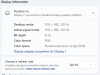
What surprised me was that once I did that, Windows was locked to a refresh rate of 60Hz! I have no idea how or why. Unfortunately, now I don't have a way to put it back the way it was. I confirmed my settings in System Preferences and rebooted the Mac. Windows reports that "Generic PnP Monitor and Parallels Display Adapter (WDDM)" only support 60Hz now. When I created this snapshot it was still 120Hz, and I have no earlier snapshot to roll back to. It looks like it's stuck like this.
Full disclosure: Before lowering the macOS refresh rate, I'd been experimenting with Custom Resolution Utility inside the VM. I don't really understand what that tool does or how it works. I was careful to create my snapshot before messing with it, so I could roll back if anything went awry. It didn't appear to work at all; after all my changes Windows still reported 120Hz. Then I went did the stuff I described above. Is it possible that CRU made a change to the VM that persisted after snapshot rollback? Or is that a red herring?
Can anyone help me get my VM to use 120Hz again? Bonus points if you know of a way to toggle between refresh rates at will, for those old games that need it.
Weirdly, even with the Mac at the lower rate Windows continued to run (or at least reported it was running, I didn't confirm) at 120Hz, even after I restarted the VM, relaunched Parallels, and rebooted my Mac. So I reverted the Mac refresh rate to "ProMotion" (120Hz) and rolled back to a VM snapshot I'd taken before beginning this process.
What surprised me was that once I did that, Windows was locked to a refresh rate of 60Hz! I have no idea how or why. Unfortunately, now I don't have a way to put it back the way it was. I confirmed my settings in System Preferences and rebooted the Mac. Windows reports that "Generic PnP Monitor and Parallels Display Adapter (WDDM)" only support 60Hz now. When I created this snapshot it was still 120Hz, and I have no earlier snapshot to roll back to. It looks like it's stuck like this.
Full disclosure: Before lowering the macOS refresh rate, I'd been experimenting with Custom Resolution Utility inside the VM. I don't really understand what that tool does or how it works. I was careful to create my snapshot before messing with it, so I could roll back if anything went awry. It didn't appear to work at all; after all my changes Windows still reported 120Hz. Then I went did the stuff I described above. Is it possible that CRU made a change to the VM that persisted after snapshot rollback? Or is that a red herring?
Can anyone help me get my VM to use 120Hz again? Bonus points if you know of a way to toggle between refresh rates at will, for those old games that need it.